
RR - Recognition Dashboard
The Recognition Dashboard is a central hub where employees can view and track all recognition-related activities across the organization. It consolidates information from awards, employee spotlights, jury awards, leaderboards, and recent recognitions into a single interface. It is designed to provide transparency, engagement insights, and quick access to recognition tools.
Overview
The Recognition Dashboard serves as a central hub that provides a comprehensive and real-time view of recognition and rewards activity across the organization.
It allows employees to explore both historical and ongoing recognitions, track engagement trends, and gain insights into performance at both individual and organizational levels. The dashboard is designed to be interactive and informative, enabling users to easily navigate to related sections such as Give Recognition, Leaderboard, and detailed award views.
Additionally, users can apply filters to customize the data displayed, ensuring that the information is relevant to their specific needs or areas of interest.
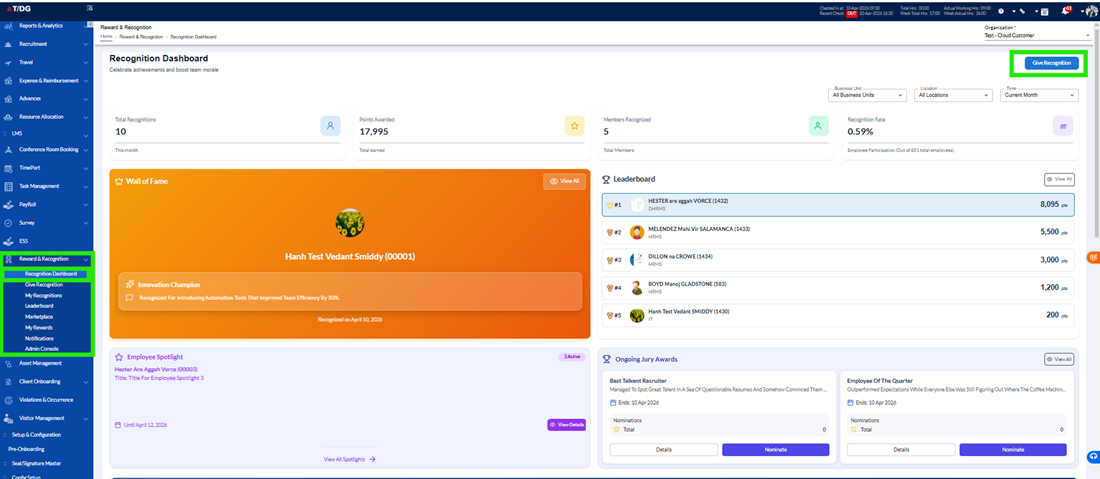
A. Give Recognition Button
The Give Recognition button is prominently placed in the top-right corner of the dashboard for easy access.
- It redirects users to the Give Recognition page
- Allows employees to recognize and appreciate their peers using approved templates
- Acts as a quick and accessible call-to-action, encouraging active participation in recognition activities
B. Filters
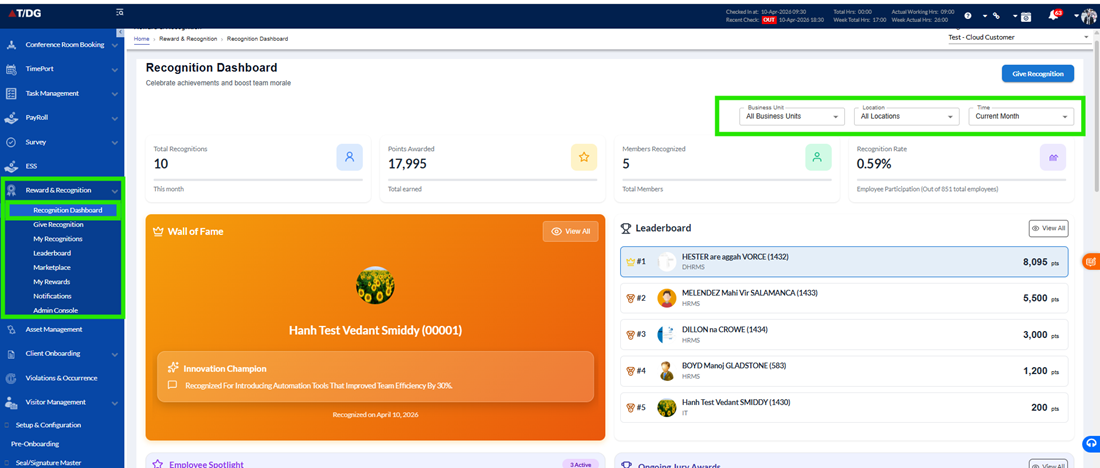
The dashboard provides filtering options to help users refine and focus the displayed information.
Available Filters
- Business Unit
Allows users to filter recognition data based on specific departments or teams (e.g., IT, Administration) - Location
Enables filtering based on office locations or regions - Time Frame
Allows users to select a specific date range or month to view recognition activity within a defined period
These filters help users view personalized and relevant insights, making it easier to analyse recognition trends and performance.
C. Wall of Fame Section
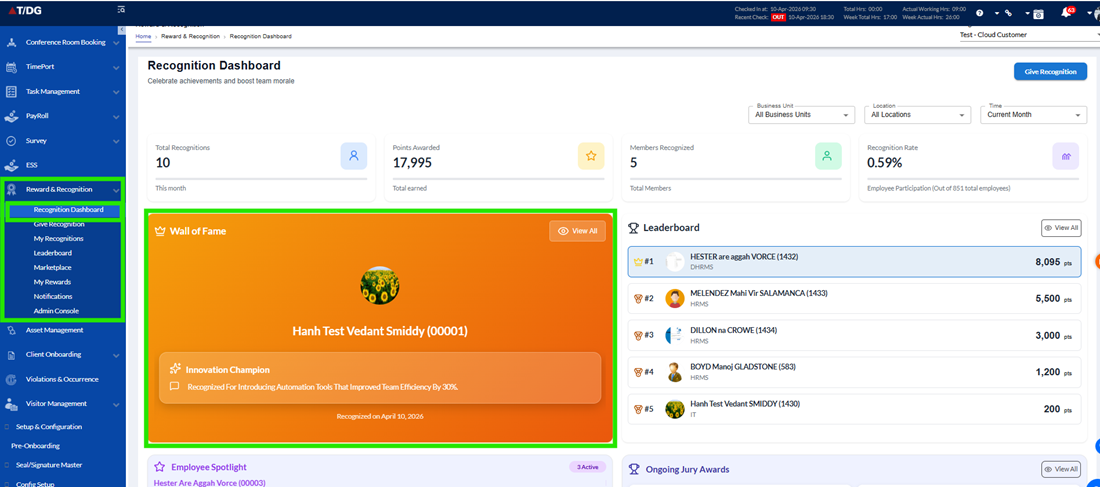
The Wall of Fame section highlights employees who have received special recognition awards.
- Displays featured employees who have been awarded
- Supports scrolling to view multiple recipients
- Includes a “View” option to access the complete list of awardees
Displayed Information:
- Employee Name
- Wall of Fame Title
- Submission Date
- Active Display Period (duration for which the recognition is shown on the dashboard)
This section celebrates outstanding achievements and provides visibility to top contributors.
D. Leaderboard Section
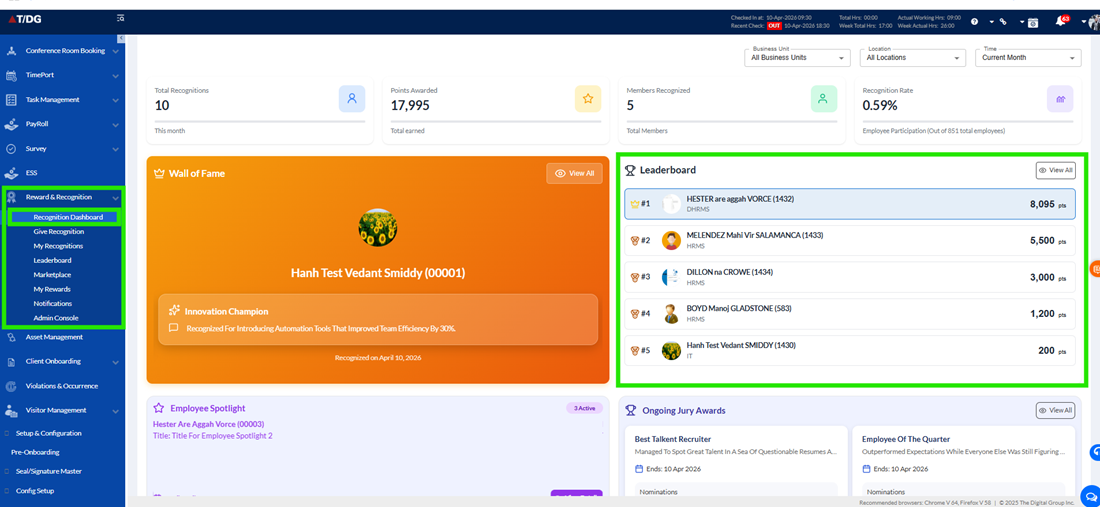
The Leaderboard section provides a quick snapshot of top-performing employees based on points earned.
- Highlights employees with the highest points across the organization
- Encourages healthy competition and engagement
- Includes a “View All” option that redirects users to the detailed Leaderboard page
Displayed Information:
- Employee Name
- Points Earned
- Rank
E. Employee Spotlight Section
The Employee Spotlight section showcases employees who have been specially recognized for their achievements.
- Displays featured employees along with their accomplishments
- Supports scrolling when multiple employees are highlighted
- Includes:
- View All Spotlight – Displays the complete list
- View Details – Provides detailed information about the selected spotlight
Displayed Information:
- Employee Name
- Spotlight Title
- Story / Description
- Key Achievements
- Active Display Period (Start Date / End Date)
This section helps highlight inspiring stories and recognize exceptional contributions.
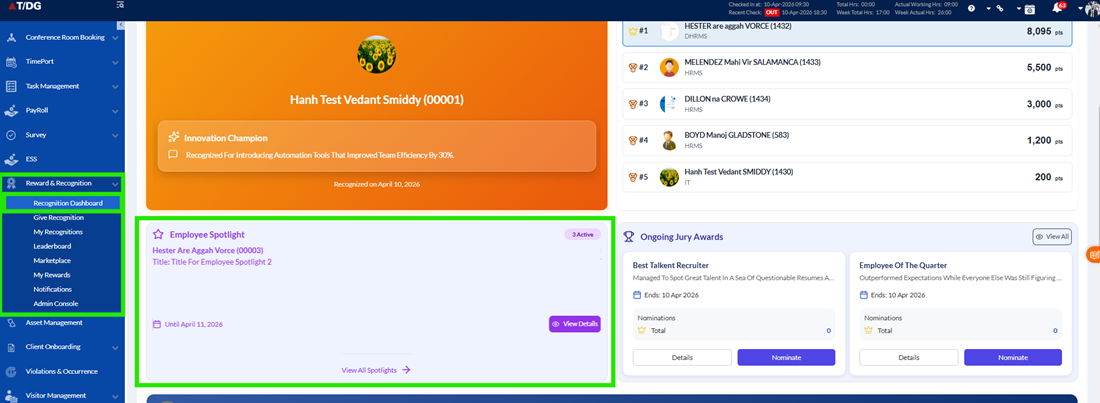
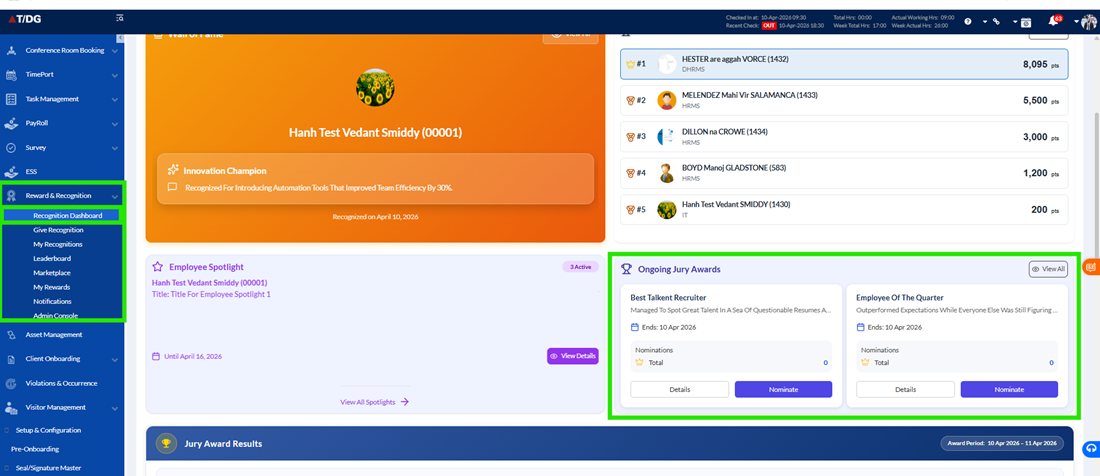
F. Ongoing Jury Awards
This section displays all jury-based awards that are currently active or in progress.
Displayed Information:
- Jury Award Name / Title
- Description
- Nomination End Date
- Total Nominations
User Actions
- Nominate Button (for jury members only) – Allows eligible users to submit nominations
- Details Button – Expands the award to show additional information
Expanded Details Include
- Jury Award Title
- Current Status (Nomination Open / Closed / Result Pending)
- Description
- Eligibility Criteria (General or Custom)
- Nomination Period (Start / End)
- Result Period (Start / End)
- Reward Types (Monetary / Non-Monetary)
- Number of Nominated Employees
- Jury Members
This section ensures transparency and provides full visibility into ongoing award processes.
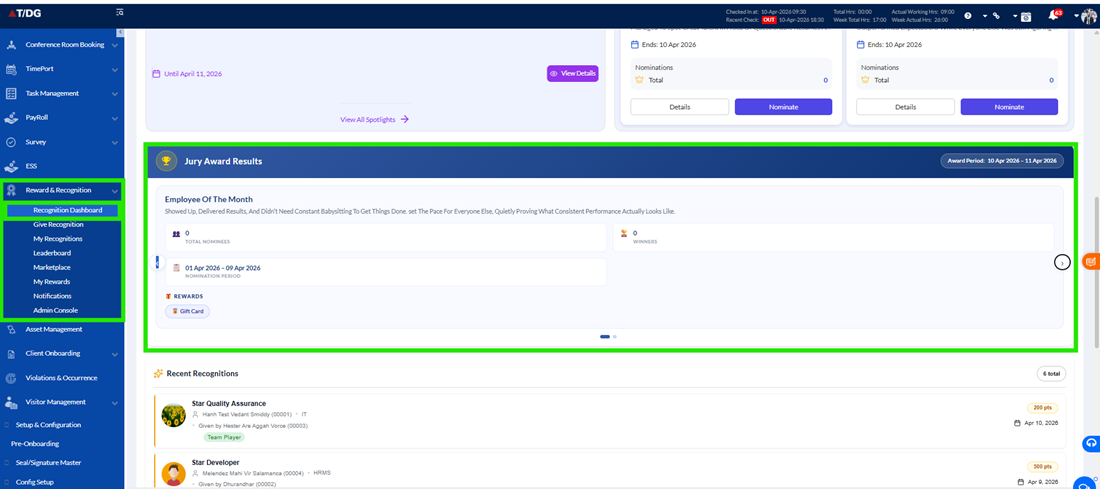
G. Jury Award Results
The Jury Award Results section becomes available once the result period for an award is completed.
- Displays a summary of finalized jury awards
- Highlights winners and key statistics
Displayed Information:
- Jury Award Name
- Total Nominations Received
- Winner(s) Name(s)
- Nomination Period
- Rewards Given
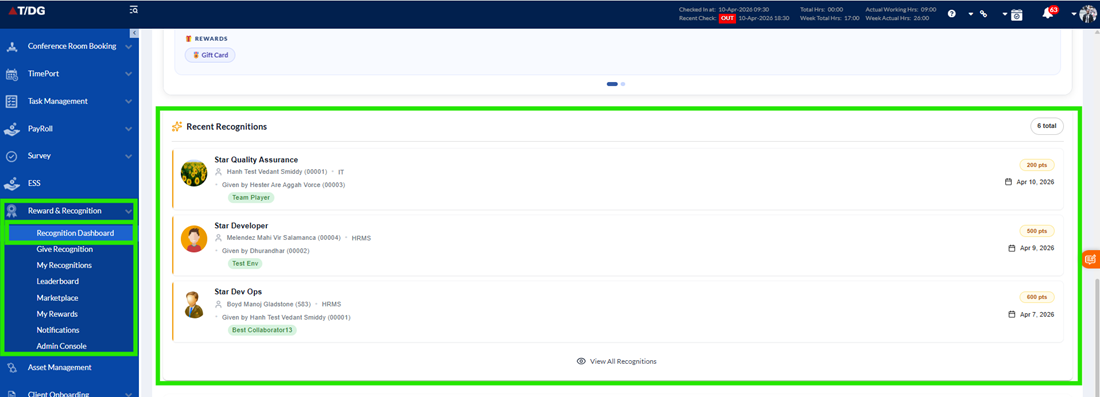
H. Recent Recognitions
This section displays the most recent recognitions given across the organization.
- Helps users stay updated with ongoing recognition activities
- Only public recognitions are displayed (private recognitions are not visible)
Displayed Information:
- Recognized Employee
- Recognition Title
- Recognized By
- Date of Recognition
- Points Awarded
I. Recognition Trends
The Recognition Trends section provides a graphical representation of recognition activity over time.
- Displays data for the last six months
- Shows the total number of recognitions given each month
- Helps identify engagement patterns and trends within the organization
This visual insight supports better understanding of recognition growth and participation.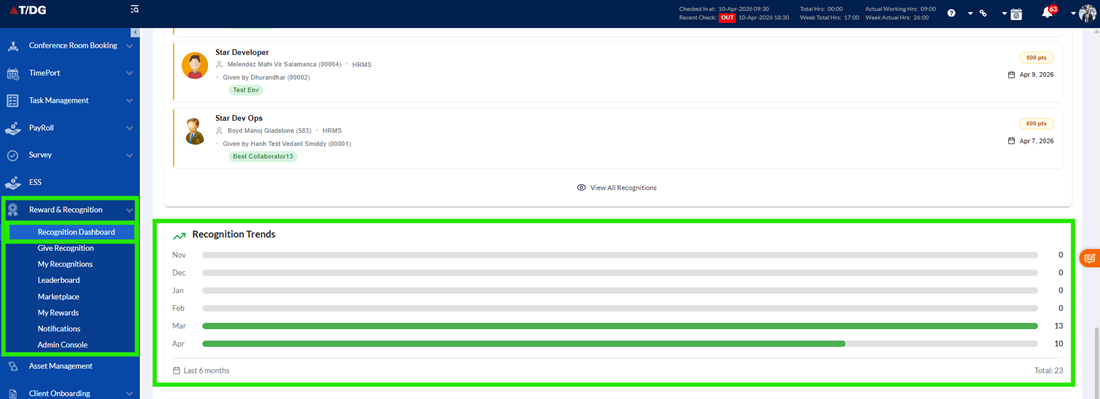
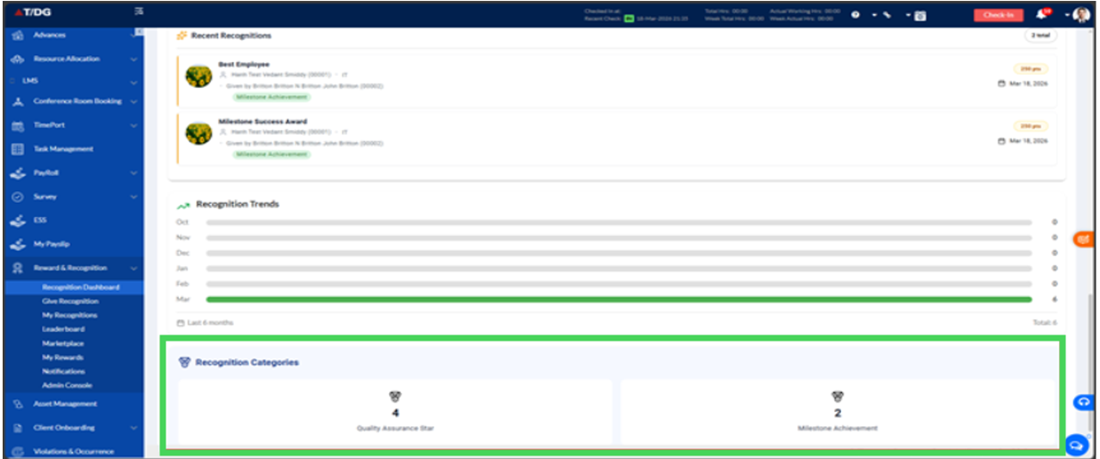
J. Recognition Categories
This section groups recognitions based on their categories, providing a structured overview of recognition types.
- Helps users understand which categories are most active or widely used
- Provides a high-level summary of recognition distribution
Displayed Information
- Category Name
- Number of Recognitions in that Category
The Recognition Dashboard is a powerful and interactive tool that brings together all recognition-related information in one place.
It enables users to:
- Track recognition activities
- Explore achievements and awards
- Analyse trends and performance
- Engage actively in recognizing peers
By combining insights, actions, and visibility, the dashboard plays a key role in fostering a culture of appreciation, transparency, and engagement within the organization.