Leave - Setup Masters
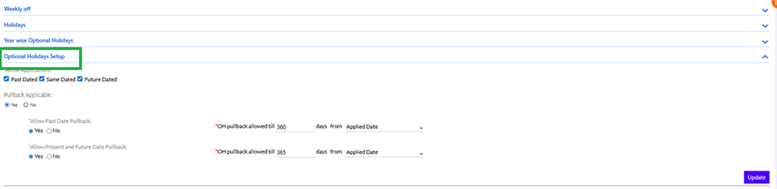
The Setup Masters option is placed under access right management’s menu list. The home page of this tab displays menus like calendars, weekly off, holidays, year wise optional holidays and optional holiday setup.
Calendar:
The calendar option is used for each individual in any organization to mark the holiday weekly off etc. In this, the user can set calendar name and calendar sedescription. This further has an option that asks the user whether he wants to allow setting holiday on a weekly off, then he can provice precedence to weekly off or holiday and set the status as active or inactive.
Under the Setup Master a user can apply the public holiday that falls under the weekly off holidays. The calendars tabs have the option as “Allow setting holiday on a week-off”. This tab has an option as ‘Yes’ and ‘No’. If it is yes enabled, then the user can create the holiday on week-off. If No is enabled, then the user won't be able to apply the holiday on a week-off.
Weelyoff:
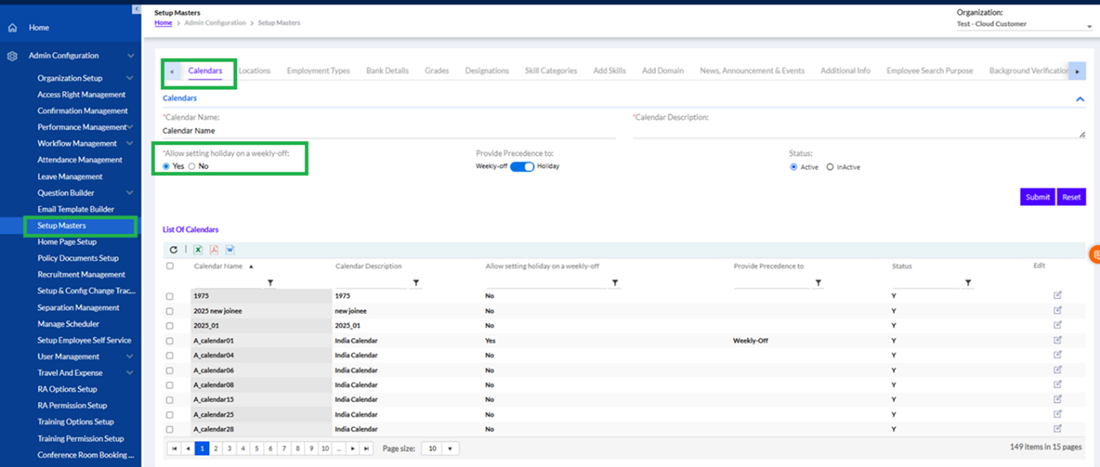
In weeklyoff, the user can set the calendar date, week number, day of the week, also there is an option to select Half day (Yes or No).
Holidays:
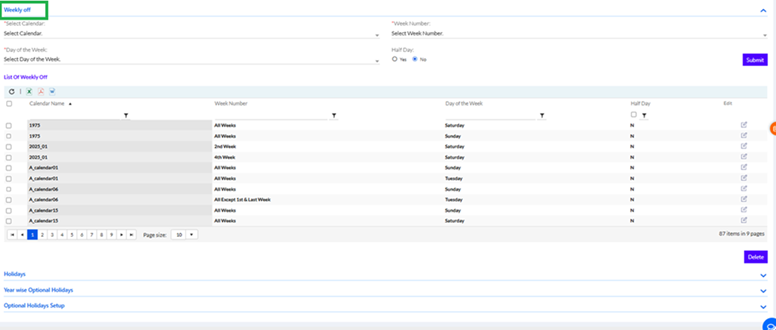
In this option, the user can select the calendar, holiday date, holiday name, holiday reason, holiday type as (compulsory or optional) and check the selective halfday check box if required. If the checkbox is selected then user can select first half or second half.
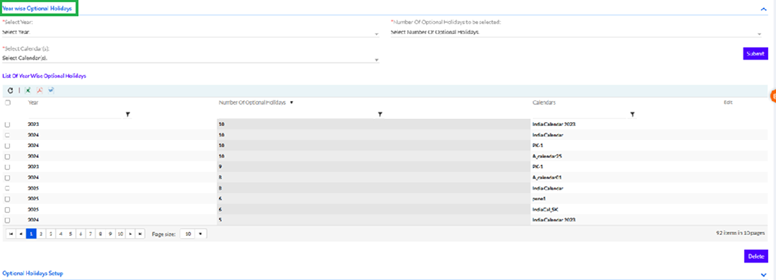
Year wise optional Holiday:
Here the user can select the particular year, then select the number of optional holidays, select calendar
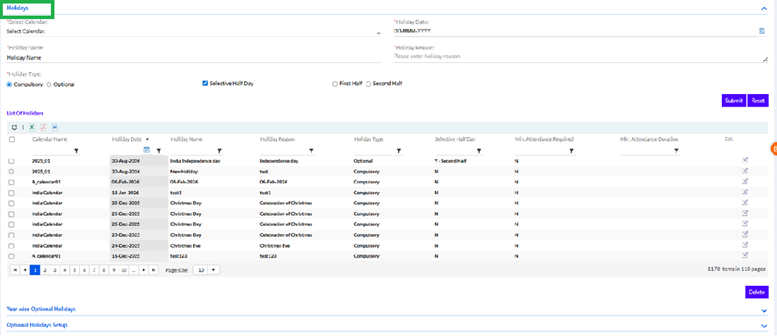
Optional Holiday Setup:
The user gets options like allow application that can be past dated, same dated, or even future dated. Then there is an option called as pullback application (Yes/No). Below that is allow past date pullback, (OH pullback allowed till ----- days from applied date), allow present and future date pullback. (OH pullback allowed till ----- days from applied date).