Permission Setup
The Permission Setup module allows administrators to configure and review access rights for Travel and Expense features across different roles or individual employees within the organization.
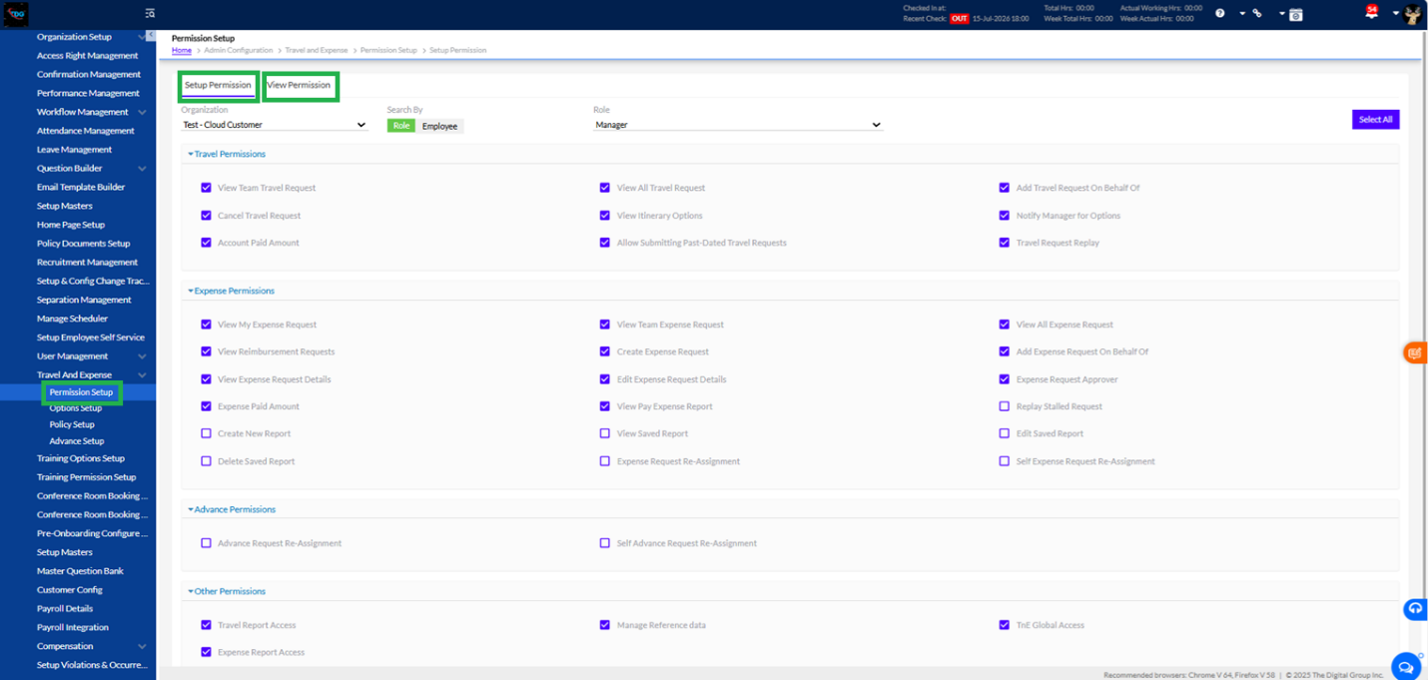
- Setup Permission (Active Tab)
This tab is used to assign or modify functional permissions based on Role or Employee selection.
Filters & Controls:
- Organization: Select the target organization/branch.
- Search By: Toggle between Role (e.g., Manager) or Employee to configure permissions at the role level or individually.
- Select All: Quickly selects all available permission checkboxes.
Permission Categories:
Travel Permissions:
- Functionality: Configures access rights related to travel management, such as viewing team/all travel requests, submitting requests on behalf of others, cancelling requests, viewing itineraries, allowing past-dated requests, and handling account paid amounts.
Expense Permissions:
- Functionality: Controls rights for expense reporting, including creating/editing/deleting expense requests, viewing team or company-wide expense reports, approving requests, managing reimbursement details, and reassigning expense requests.
Advance Permissions:
- Functionality: Controls permissions related to requesting and managing advance payments, including advance request re-assignments and self-advance re-assignments.
Other Permissions:
- Functionality: Grants access to general system-level actions such as accessing travel and expense reports, managing reference data, and overall TnE (Travel & Expense) Global Access.
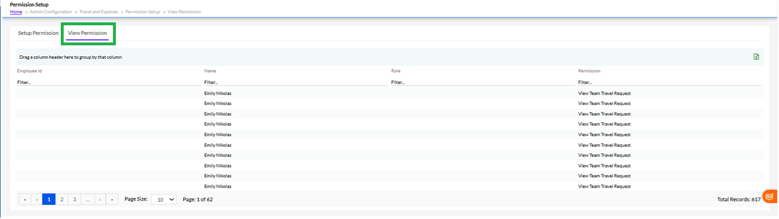
- View Permission
- Functionality: Provides a read-only view of configured permissions for quick auditing and verification without making accidental changes to existing roles or user profiles.