
Goal Settings
Here the goals are set in goal form or goal and competency form.
1. Goal Form
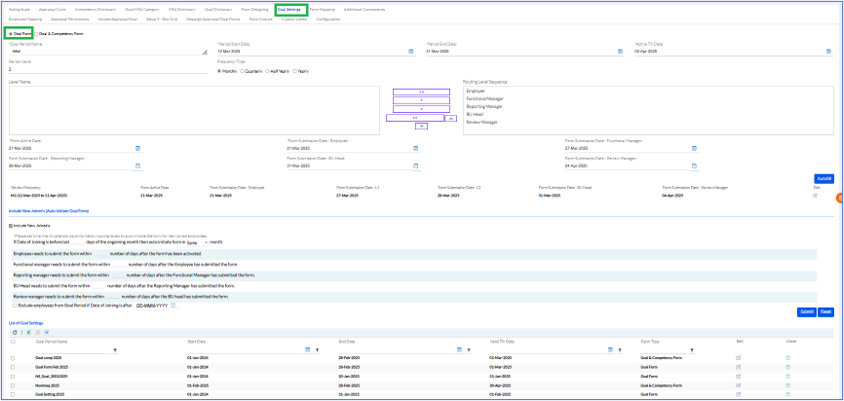
Fill in the Goal Period Name, Period Start Date, Period End Date, and Active Till Date. Review Level, and Frequency Type (Monthly, Quarterly, Half Yearly, and Yearly) Level Name, From Active Date, Form Submission Date (Employee, Functional Manager, BU Head, Review Manager) and Submit.
The list of previously added Goal Settings are displayed below.
2. Goal & Competency Form
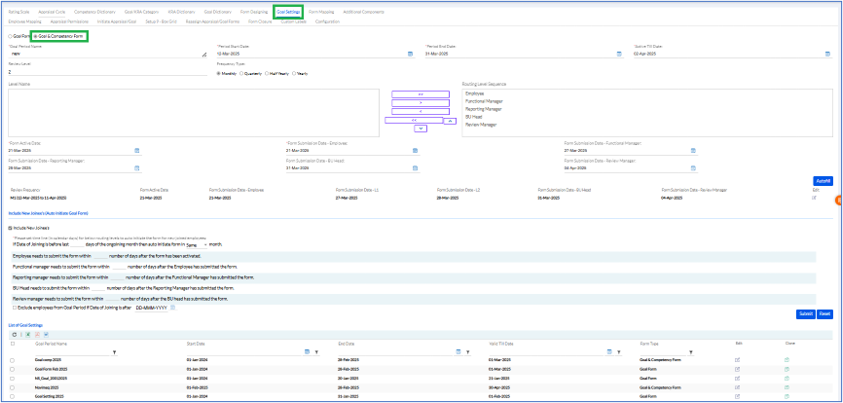
Fill out the Goal &Competency Form as the Goal Form.
Goal Setting Workflow Configuration with Legacy Support
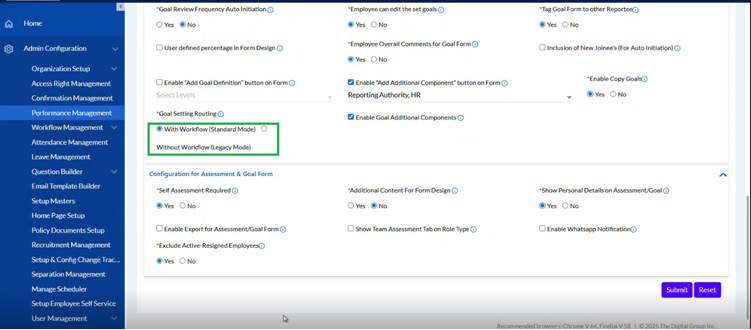
A new Goal Setting Routing configuration has been introduced with two options:
- With Workflow (Standard Mode)
- Without Workflow (Legacy Mode)
Configuration Path:
Performance Management > Goal Settings
Functionality:
- With Workflow: Approval levels are fetched from Workflow Management.
- Without Workflow: Review levels must be manually defined.
Default Behavior:
- Existing customers: Legacy Mode
- New customers: Standard Workflow Mode
WhatsApp notification support is also extended to Goal Setting workflows.
Notification Triggers:
- Goal initiated
- Goal submitted
- Goal pending at reviewer level
- Goal reassigned
Note:
Message templates are predefined in the backend and cannot be customized from UI.
WhatsApp notification support is also extended to Goal Setting workflows.
Notification Triggers:
- Goal initiated
- Goal submitted
- Goal pending at reviewer level
- Goal reassigned
Note:
Message templates are predefined in the backend and cannot be customized from UI.