
Change of Work Location
In the Visitor Management System, the "My Details" section under the Employee Summary tab displays the current Work Location associated with the logged-in user. This work location determines the context in which visitor data is filtered and displayed across the system.
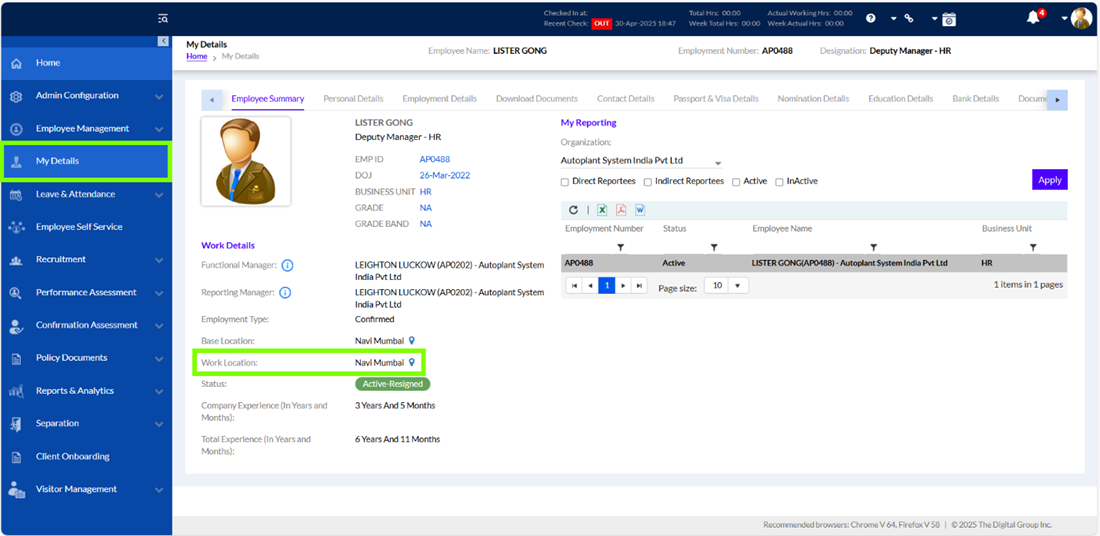
For example, if the user’s location is set to Navi Mumbai, the Visitor Dashboard will only display visits scheduled or managed by that user for that location. This includes guests they have invited, upcoming appointments, and check-in/check-out logs relevant to that site.
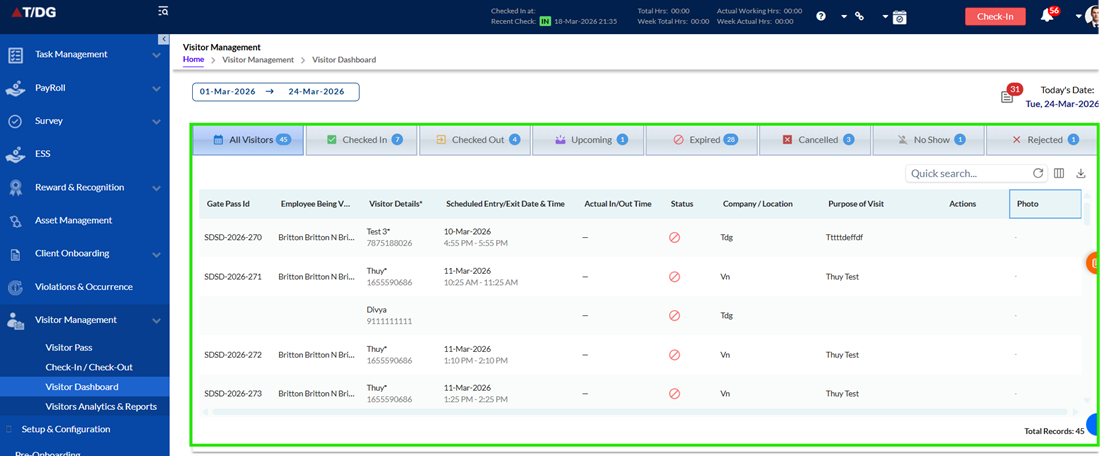
Changing the work location has no direct and immediate impact on the visitor data shown.
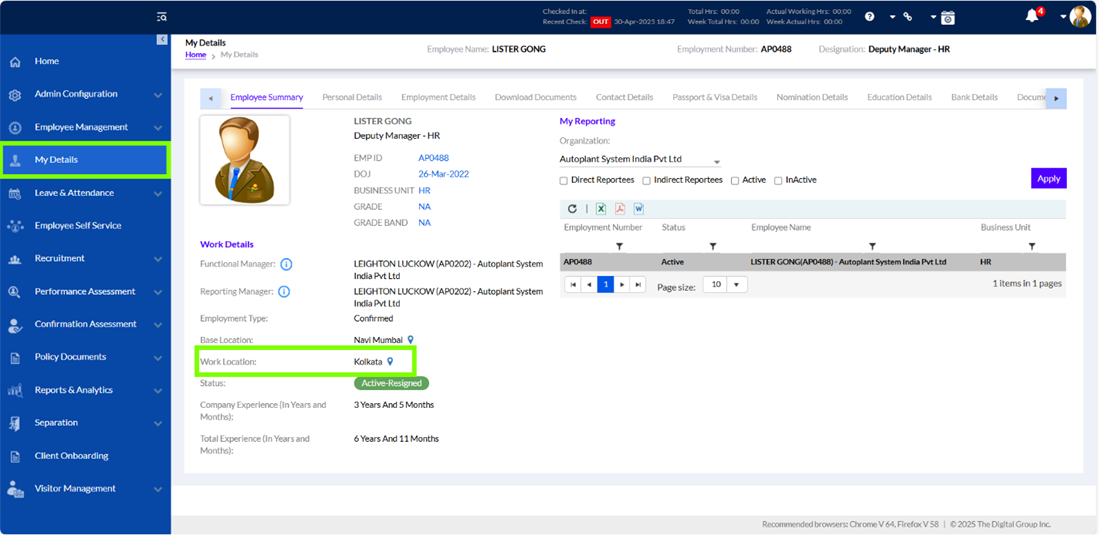
Irrespective of the user’s current work location, the dashboard will always display visitor data at the organization level. This means that even if the user updates their location—for example, from Pune to Kolkata—the dashboard will continue to show all relevant visitor entries across the organization, rather than limiting the view to the user’s updated location.”
This design ensures broad data visibility and operational clarity, especially for organizations with multiple office locations. Instead of limiting information to a user’s specific work site, it provides a consolidated organization-level view of all visitor entries. This prevents data gaps when users switch locations and helps maintain consistent oversight, improving coordination, monitoring, and compliance across the entire organization.
In summary: Work location acts as an access control setting within the Visitor Dashboard, but the visitor data displayed is always organization level. Even if a user works across multiple branches, the dashboard consistently shows all visitor records at the organization level, ensuring complete visibility regardless of the selected location.