Simplify Employee Task Management with Digital HRMS
Manage tasks, projects, deadlines, and team responsibilities through a centralized task management platform.
How Task Management Software Improves Employee Productivity
Managing tasks across employees and teams can become difficult when assignments, deadlines, and progress are tracked through disconnected tools. Digital HRMS provides task management software that helps employees manage their work while enabling managers to assign tasks, monitor progress, and review team performance from a centralized platform.
With structured task assignment, project tracking, dashboards, reports, and configurable workflows, organizations can improve employee productivity, strengthen accountability, and maintain better visibility into day-to-day work.
Common Employee Task Management Challenges
Managing individual responsibilities and team activities requires clear ownership, deadlines, and visibility into task progress.
Scattered Task Information
Managing tasks across multiple tools can make information difficult to track.
Unclear Task Ownership
Without clear assignments, responsibilities can become difficult to monitor.
Missed Deadlines
Limited visibility into task progress can affect timely completion.
Limited Project Visibility
Managers may find it difficult to monitor tasks across multiple employee projects.
Manual Progress Tracking
Following up on tasks manually can increase administrative effort.
Limited Performance Insights
Without structured reports, understanding task performance can be challenging.
How Digital HRMS Simplifies Task Management
Digital HRMS brings task assignment, employee work, projects, progress tracking, reporting, and team management together through a centralized platform. Managers can create and monitor tasks, while employees can manage their assigned work and track their responsibilities.
The module provides dashboards and reports that help teams understand task progress, project activity, resource involvement, and work quality, supporting better employee task management and productivity.
Centralized Task Management
Create, assign, and monitor tasks from a single platform.
Clear Task Ownership
Assign responsibilities to employees and teams with defined priorities and deadlines.
Project Visibility
Track tasks associated with different employee projects and project activities.
Real-Time Task Tracking
Monitor task progress and pending work through centralized dashboards.
Team Performance Insights
Use reports and insights to understand task performance and work quality.
Improved Employee Productivity
Help employees organize their work and stay focused on assigned responsibilities.
Key Features of Task Management Software
Manage employee tasks, projects, deadlines, progress, and team activities through configurable tools designed to improve productivity and accountability.
Task Management Module Overview
Access dedicated dashboards for managing tasks, projects, resources, configuration, employee work, reports, and personal planning through the Digital HRMS Task Management module.
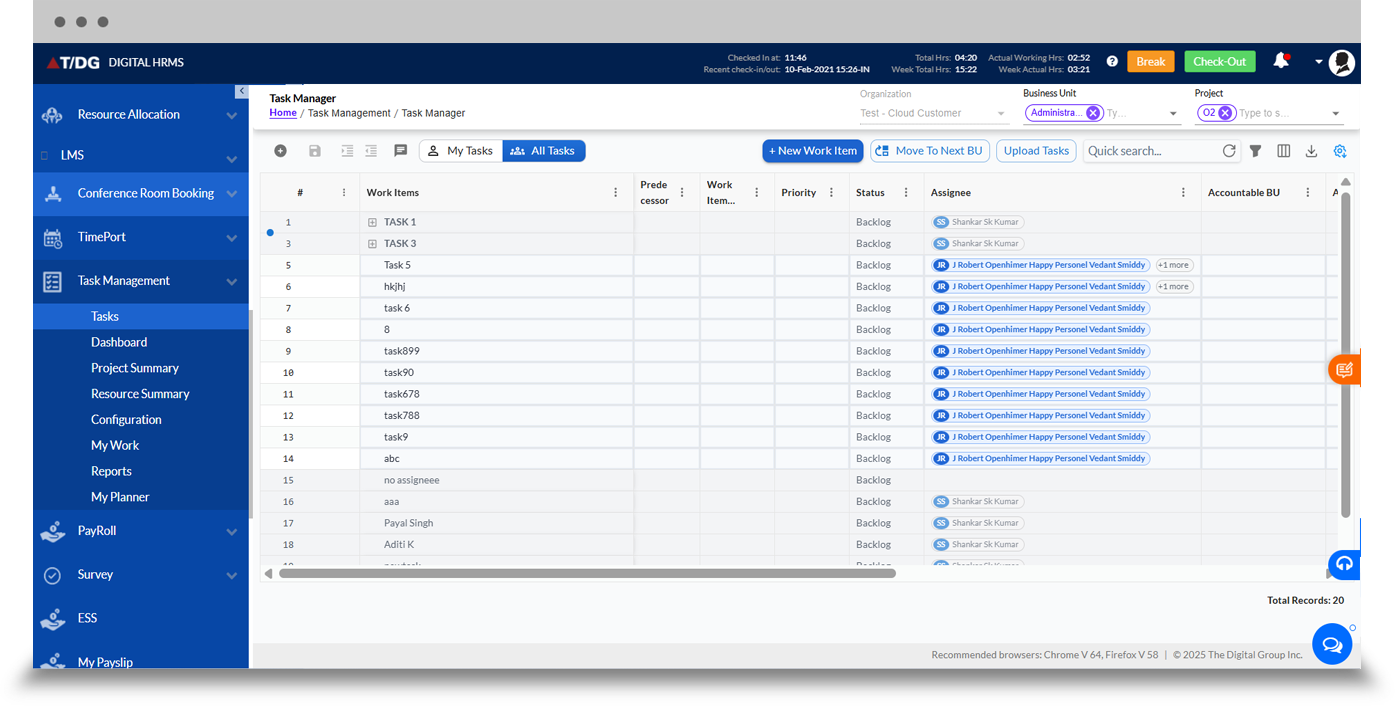
The Tasks dashboard provides a centralized view for managing assigned tasks and related work activities.
Employees can manage their own tasks, while managers and authorized users can create and monitor tasks assigned to their teams. The dashboard supports better visibility into task responsibilities, priorities, deadlines, and progress.
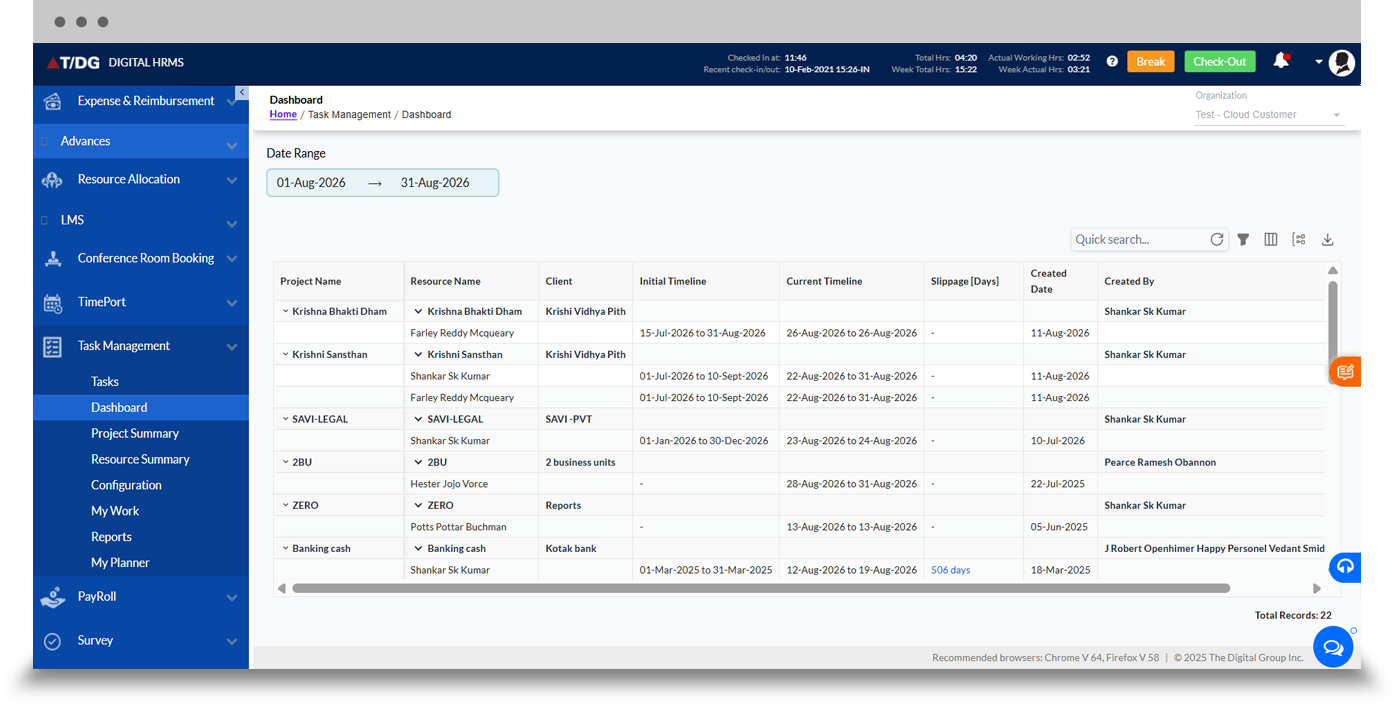
The Dashboard provides an overview of task-related activities and work progress.
It helps users and managers gain visibility into pending work, task status, and team activities from a centralized interface, supporting faster follow-up and better task tracking.
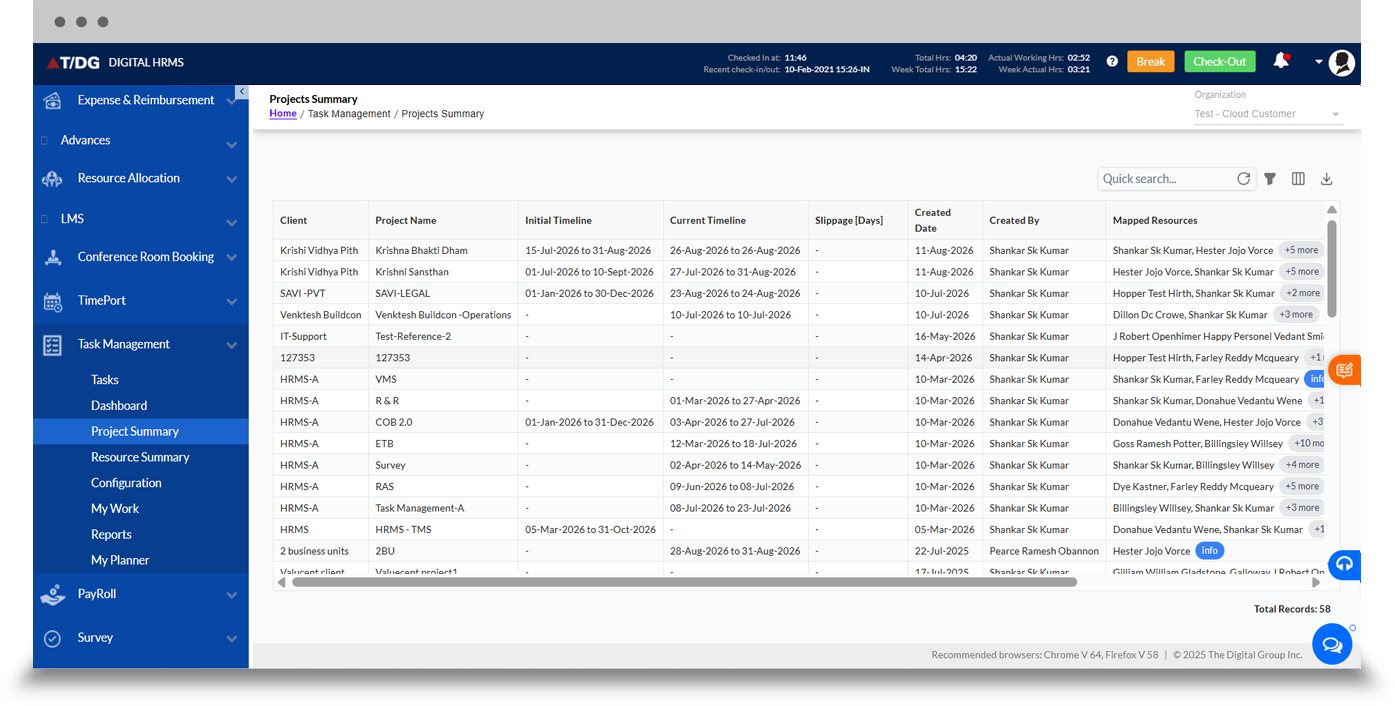
The Projects Summary dashboard provides an overview of project-related task activities.
Managers can use the summary to understand project progress, task distribution, and work associated with different employee projects, helping teams maintain better visibility into ongoing project activities.
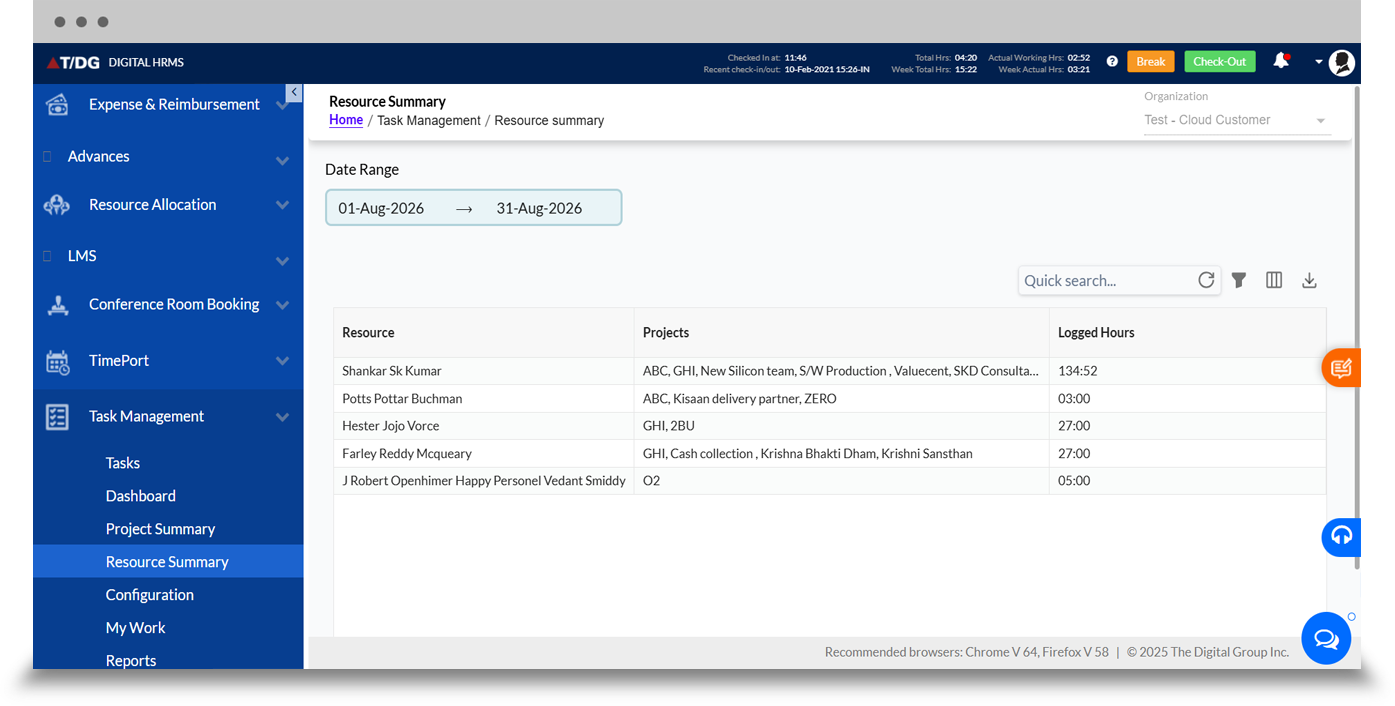
The Resource Summary dashboard provides visibility into resources associated with task and project activities.
It helps managers understand how employees and teams are involved across work activities, supporting better workforce planning and employee productivity monitoring.
The Configuration section provides tools to configure and manage the Task Management module according to organizational requirements.
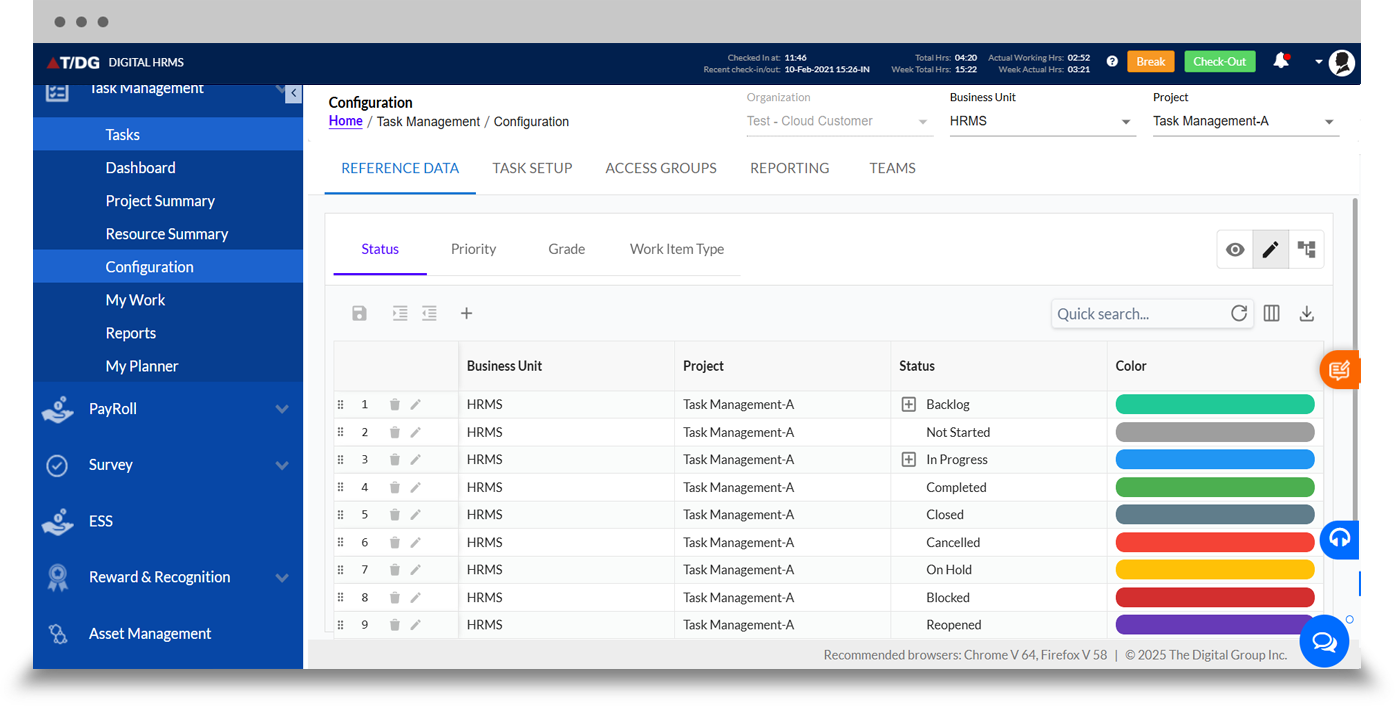
a. Reference Data
The Reference Data section allows administrators to configure key task-related information used across the module, including status, priority, grade, and work item type. These configurations help maintain consistency when creating, assigning, and tracking tasks across teams.
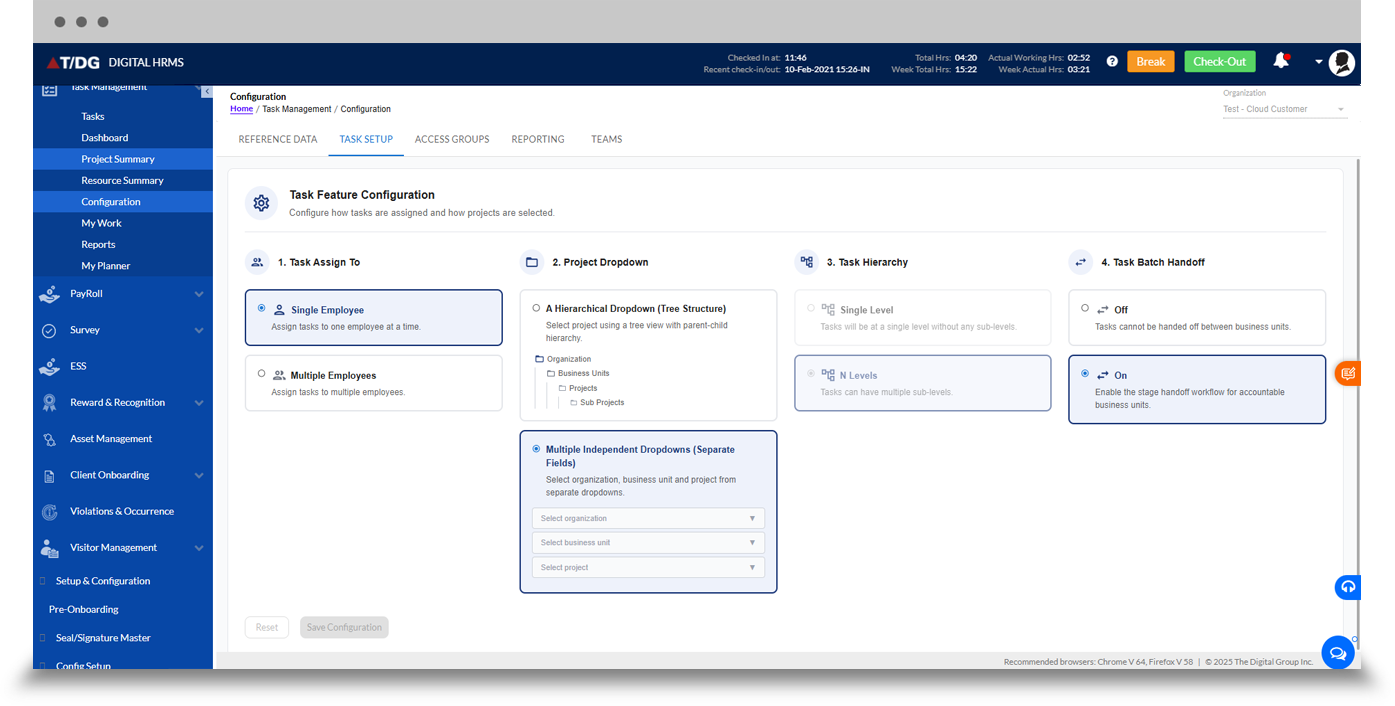
b. Task Setup
The Task Setup section allows administrators to configure key task-related settings, including task categories, task types, and other task configurations, helping maintain a consistent structure for creating and managing tasks across teams.
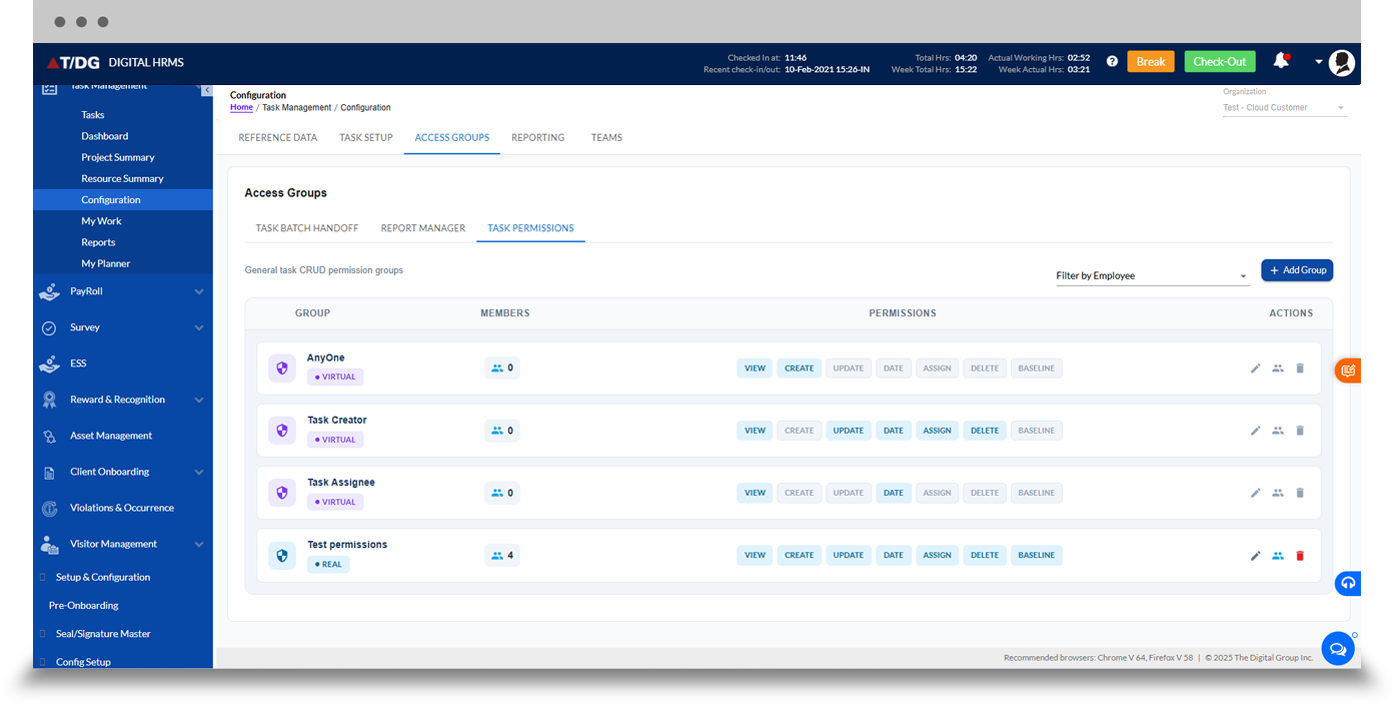
c. Access Groups
The Access Groups section allows administrators to configure task permissions, report managers, and task batch handoffs, helping control user access and define responsibilities for task management and reporting across teams.
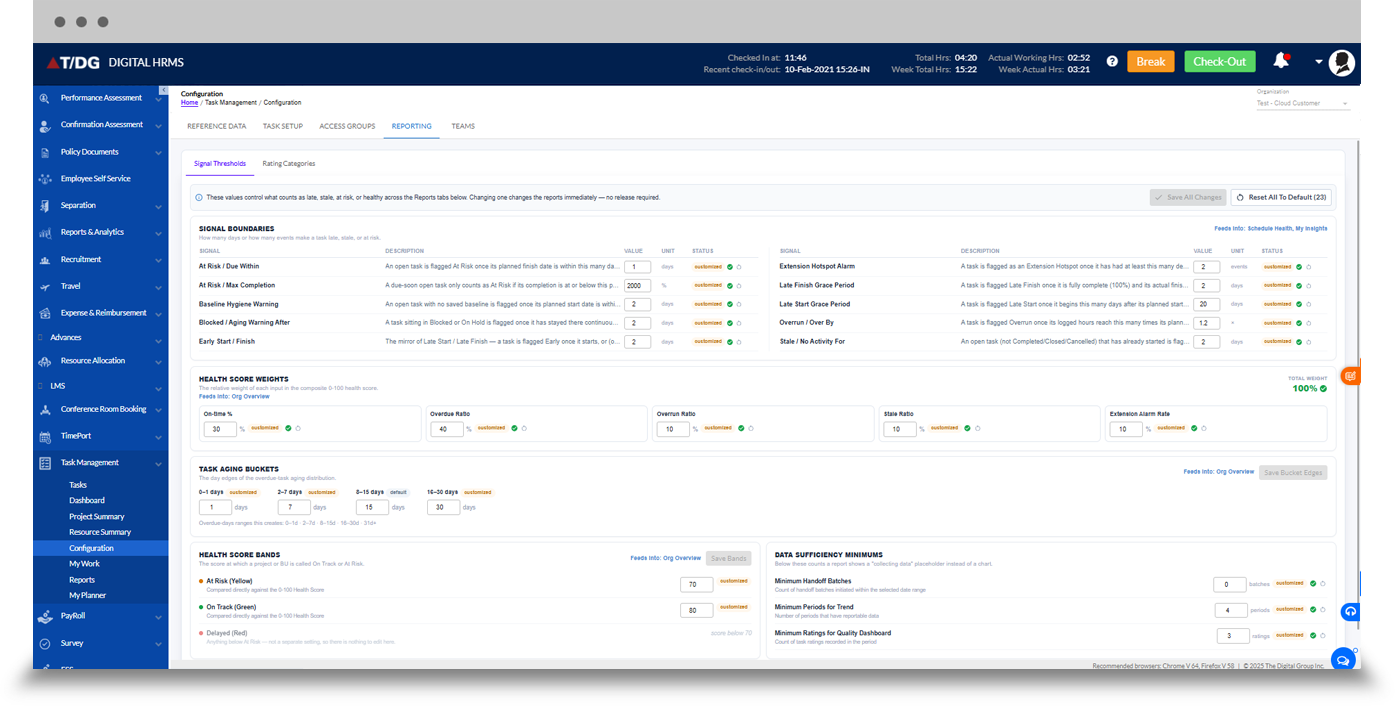
d. Reporting
The Reporting section allows administrators to configure task-related reporting requirements, helping define how task and project information is organized and accessed for effective monitoring and analysis.
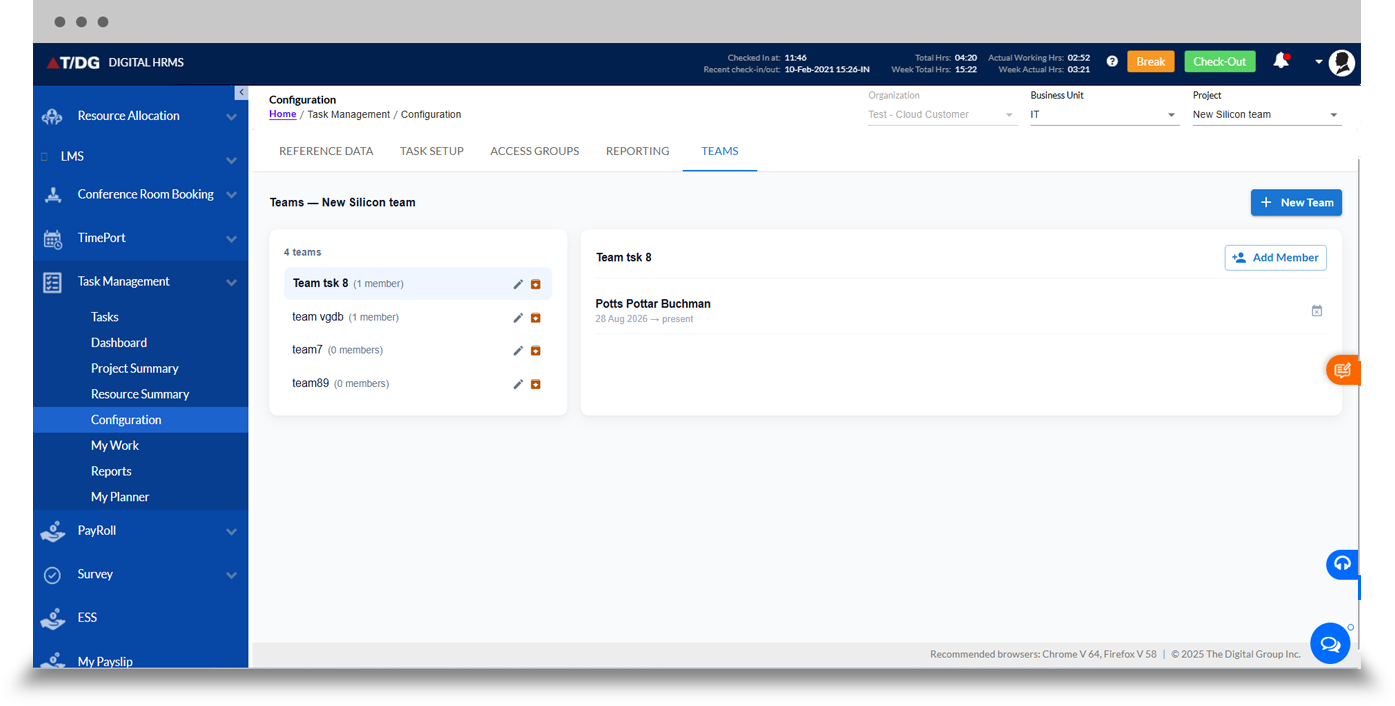
e. Teams
The Teams section allows administrators to configure and manage teams within the Task Management module, supporting structured assignment and team-level task monitoring.
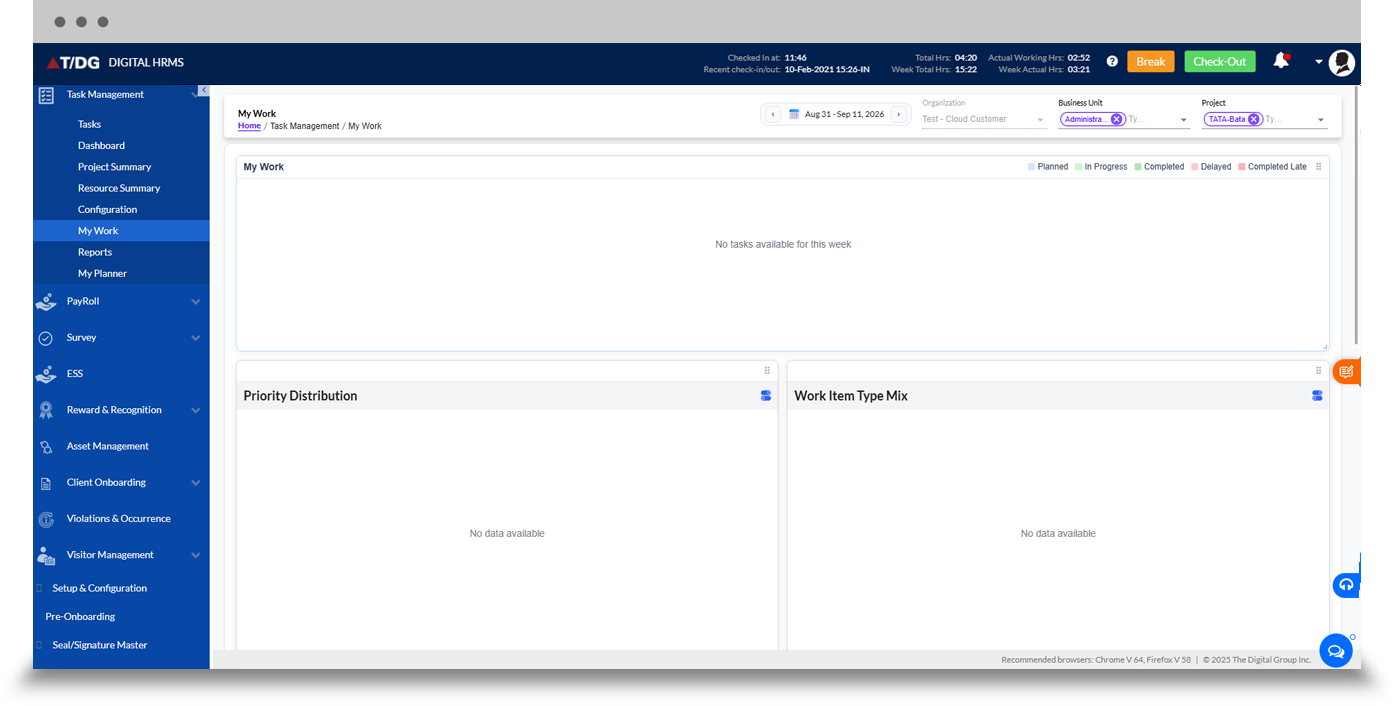
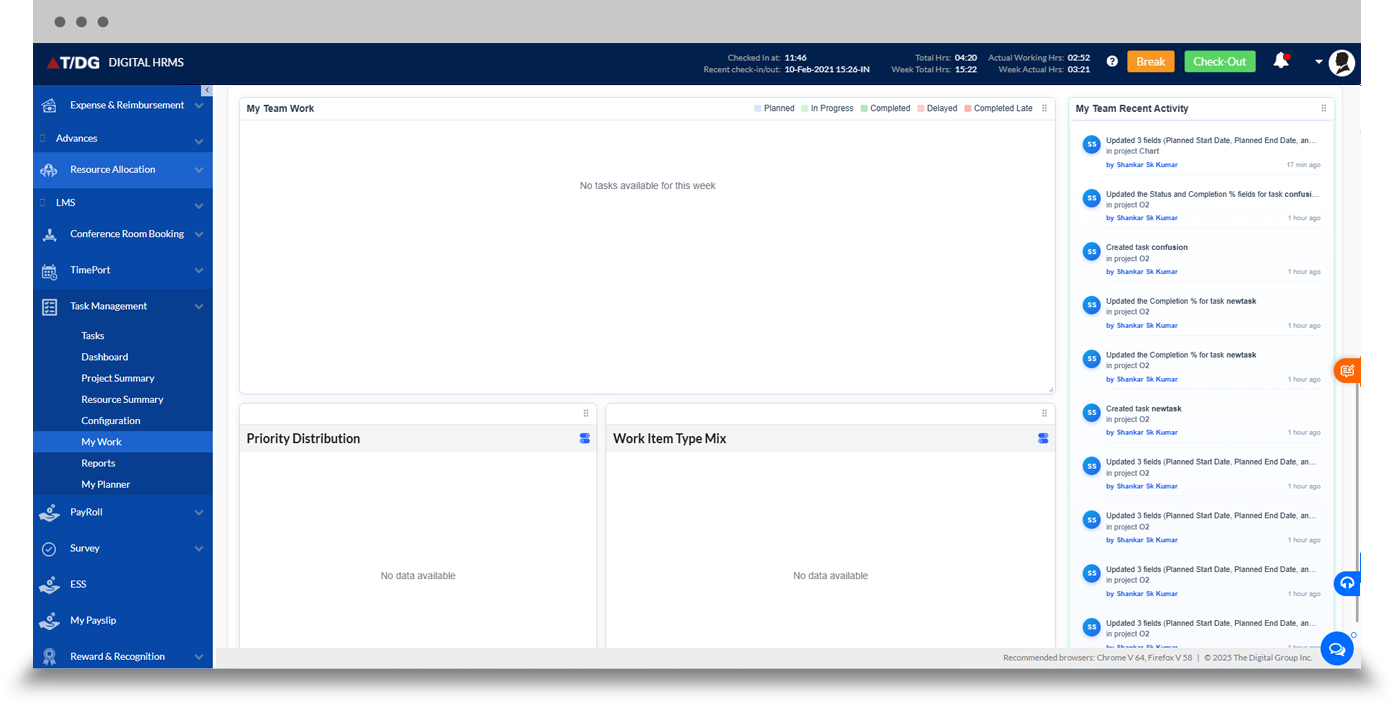
The My Work dashboard provides employees with a centralized view of their work activities.
It helps employees stay organized by providing visibility into assigned tasks and work that requires their attention, supporting better personal task planning and employee productivity.
The Reports section provides deeper insights into task and work-related activities.
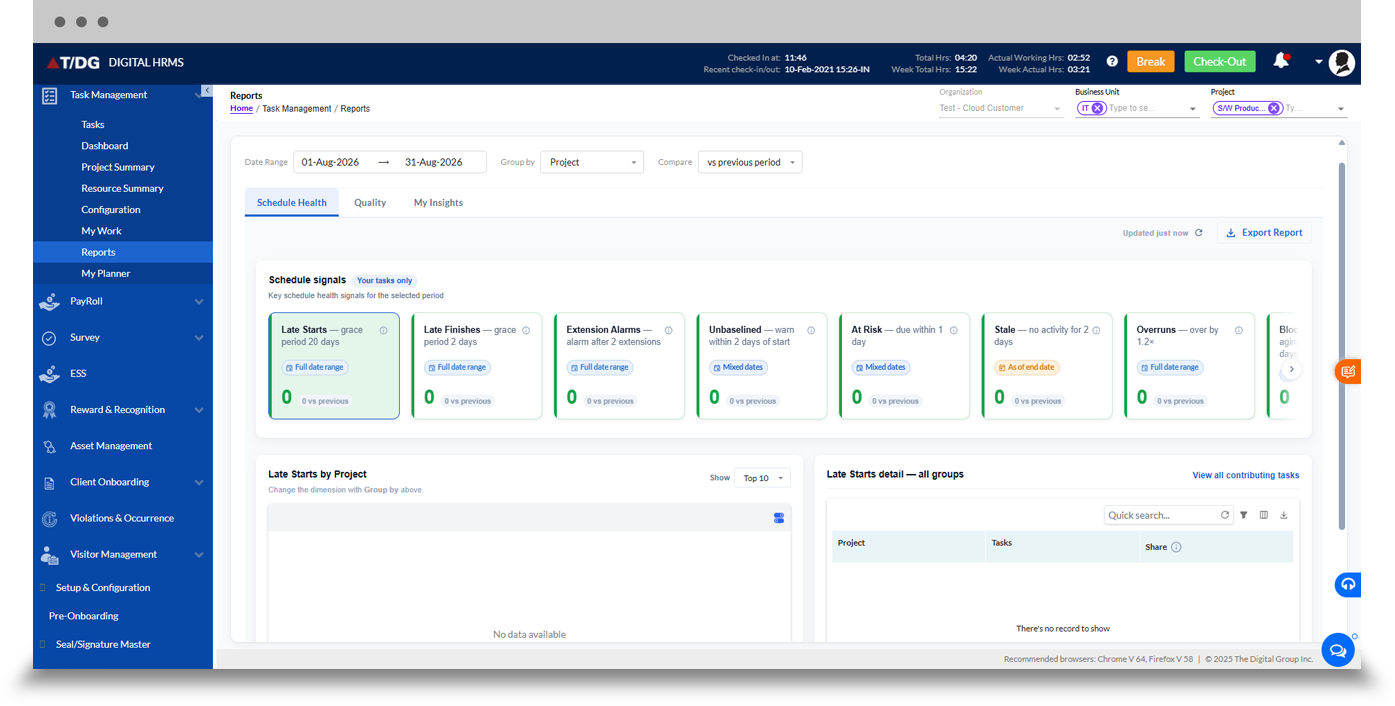
a. Schedule Health
The Schedule Health dashboard provides visibility into task and project scheduling, helping teams identify scheduling concerns and monitor work against defined timelines.
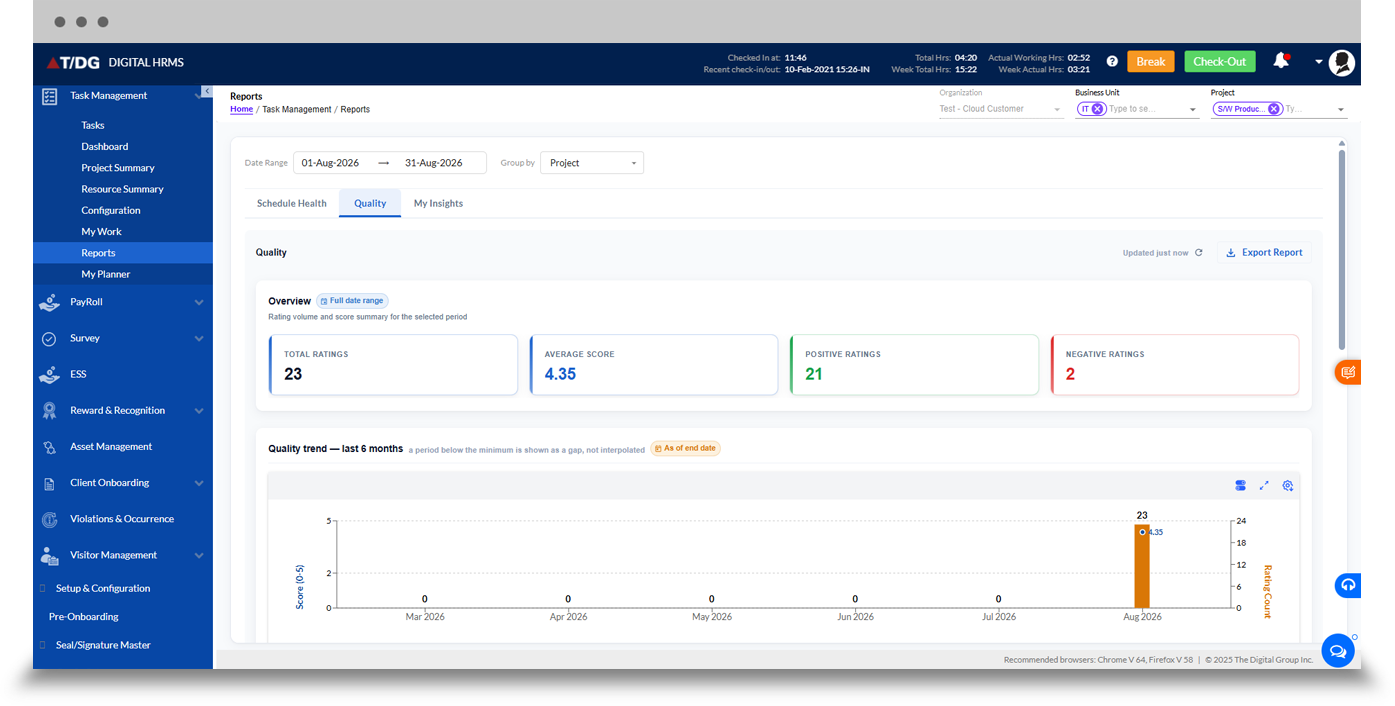
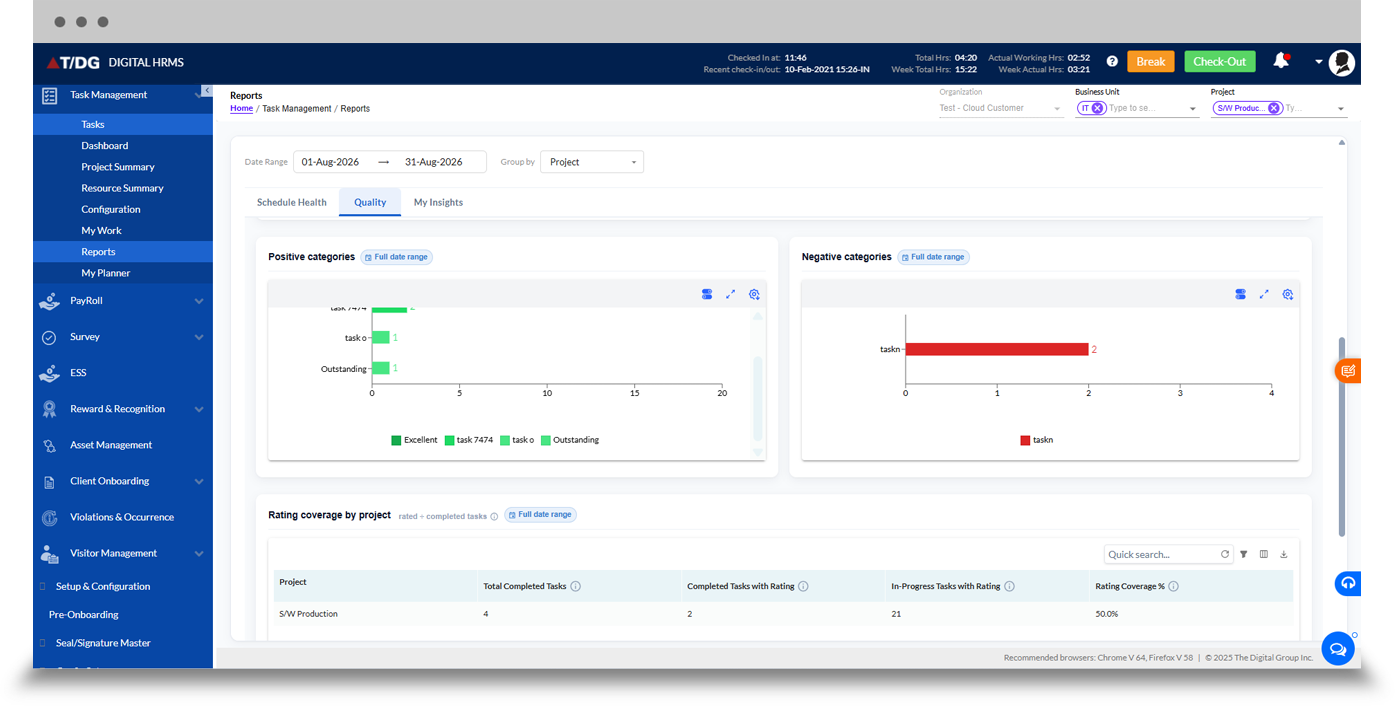
b. Quality
The Quality dashboard provides insights into the quality of task-related work, helping managers review performance and identify areas requiring attention.
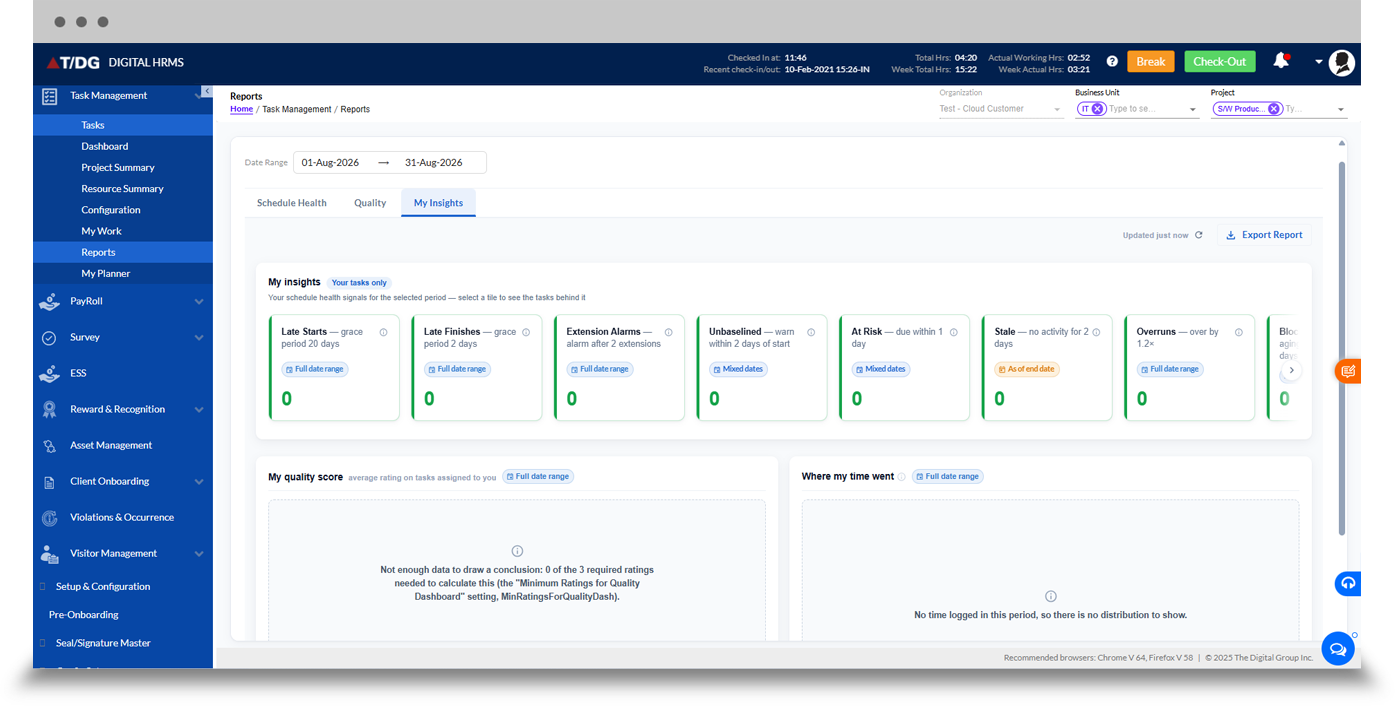
c. My Insights
The My Insights dashboard provides personalized insights into an employee's work and task activities, helping users understand their performance and work patterns.
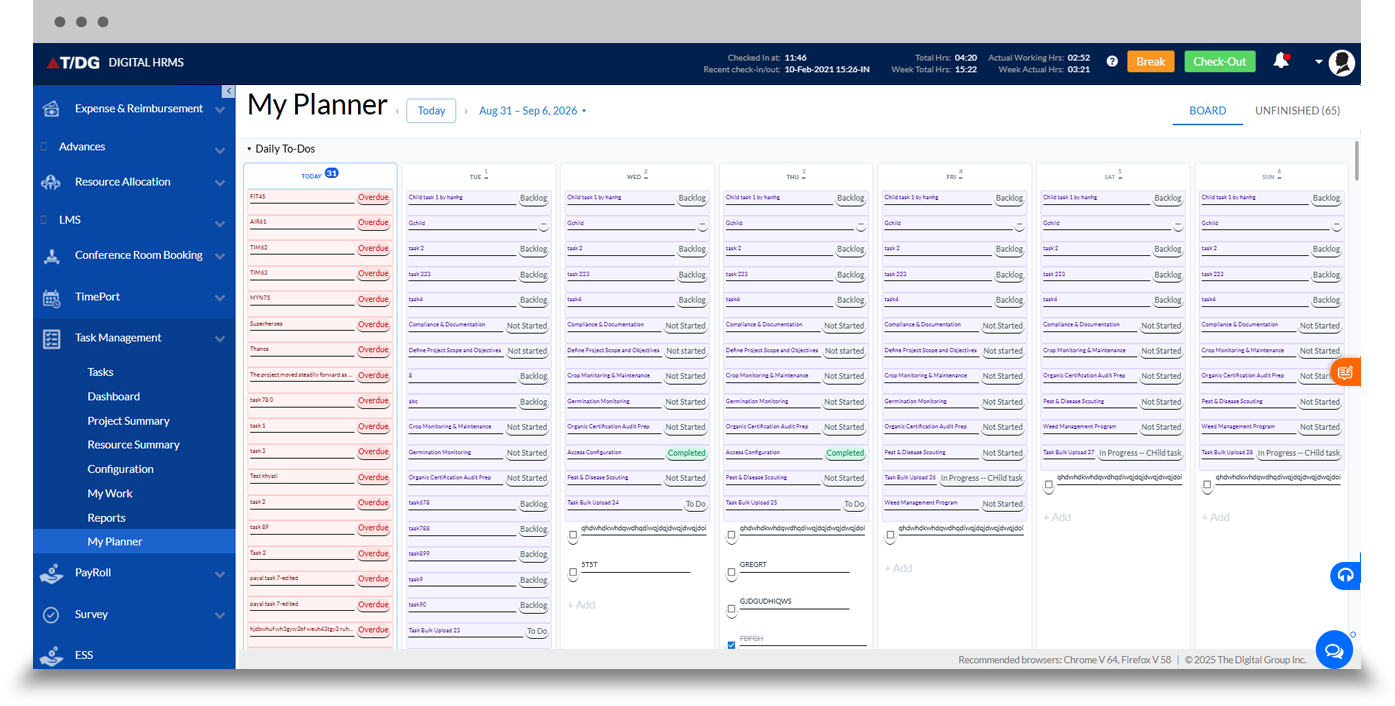
The My Planner dashboard helps employees organize and plan their work activities.
It provides a centralized view for planning tasks and managing upcoming work, helping employees prioritize responsibilities and maintain better control over their schedules.
Why Choose Digital HRMS for Task Management?
Improved Employee Productivity
Help employees organize their tasks and focus on assigned responsibilities.
Centralized Task Tracking
Monitor task progress, deadlines, and completion from one platform.
Better Project Visibility
Maintain visibility into tasks associated with employee projects.
Clear Accountability
Assign responsibilities and monitor work ownership across teams.
Actionable Work Insights
Use reports and insights to understand task performance and work quality.
Connected HR Platform
Use task management as part of the broader Digital HRMS modules.
Learn More About Task Management Software
Download the detailed module presentation to explore the Task Management module's features, dashboards, project management capabilities, task tracking tools, reports, and configuration options.
Improve Employee Task Management with Digital HRMS
Managing employee tasks and projects shouldn't depend on disconnected tools and manual follow-ups. Digital HRMS brings task management software, task tracking, employee projects, and productivity insights together through a centralized HR platform.