Simplify Employee Time Tracking with Digital HRMS TimePort
Track work hours, log project time, manage timesheet approvals, and monitor employee productivity through a centralized project time tracking software.
How TimePort Improves Employee Time Tracking and Productivity
Tracking work hours across employees, projects, and clients can become difficult when timesheets, approvals, and reports are managed through disconnected tools. Digital HRMS TimePort is an employee time tracking system that allows employees to log daily and weekly work hours while enabling managers to review, approve, and monitor project time from a centralized platform.
With structured project setup, configurable timesheets, approval workflows, and detailed reports, TimePort helps organizations improve employee productivity, maintain accurate billable-hour records, and gain better visibility into how time is spent across projects, making it a dependable project management time tracking software within the broader human resource management system software.
Common Employee Time Tracking Challenges
Tracking employee time across projects and clients requires structured setup, consistent submissions, and clear visibility into logged hours.
Scattered Timesheet Data
Logging work hours across multiple tools can make timesheet information difficult to track.
Delayed Timesheet Submissions
Without reminders, employees may miss submitting timesheets on time.
Manual Approval Bottlenecks
Reviewing and approving timesheets manually can increase administrative effort for managers.
Limited Project Time Visibility
Managers may find it difficult to track time logged across multiple projects and clients.
Inconsistent Billable Hour Tracking
Without a defined structure, separating billable and non-billable hours can be challenging.
Limited Productivity Insights
Without structured reports, understanding employee productivity and utilization can be difficult.
How Digital HRMS TimePort Simplifies Time Tracking
Digital HRMS TimePort brings project setup, daily and weekly timesheets, approvals, and reporting together through a single project time tracking software. Employees can log task-wise work hours, while managers and administrators can configure projects, review submissions, and approve timesheets.
The module provides dashboards and reports that help teams understand logged hours, billable and non-billable time, and submission compliance, supporting better employee time tracking and productivity across the organization.
Centralized Time Tracking
Log, review, and approve employee work hours from a single platform.
Structured Project & Client Setup
Configure organizations, clients, and projects with defined review and invoicing cycles.
Real-Time Timesheet Monitoring
Track daily and weekly time entries through centralized dashboards.
Streamlined Approval Workflow
Enable managers to search, review, and approve timesheets, including bulk sync approval.
Billable & Non-Billable Insights
Use reports to separate billable and non-billable hours across projects.
Improved Employee Productivity
Help employees organize logged work and stay accountable for assigned project time.
Key Features of TimePort - Employee Time Tracking Software
Manage project time tracking, employee time tracking, approvals, and reporting through configurable tools designed to improve productivity and accountability.
TimePort Module Overview
Access dedicated dashboards for project setup, timesheets, approvals, status tracking, and reports through the Digital HRMS TimePort module.
The Setup Masters section allows administrators to configure the projects, reference data, resource mapping, and settings that TimePort runs on.
a. Projects
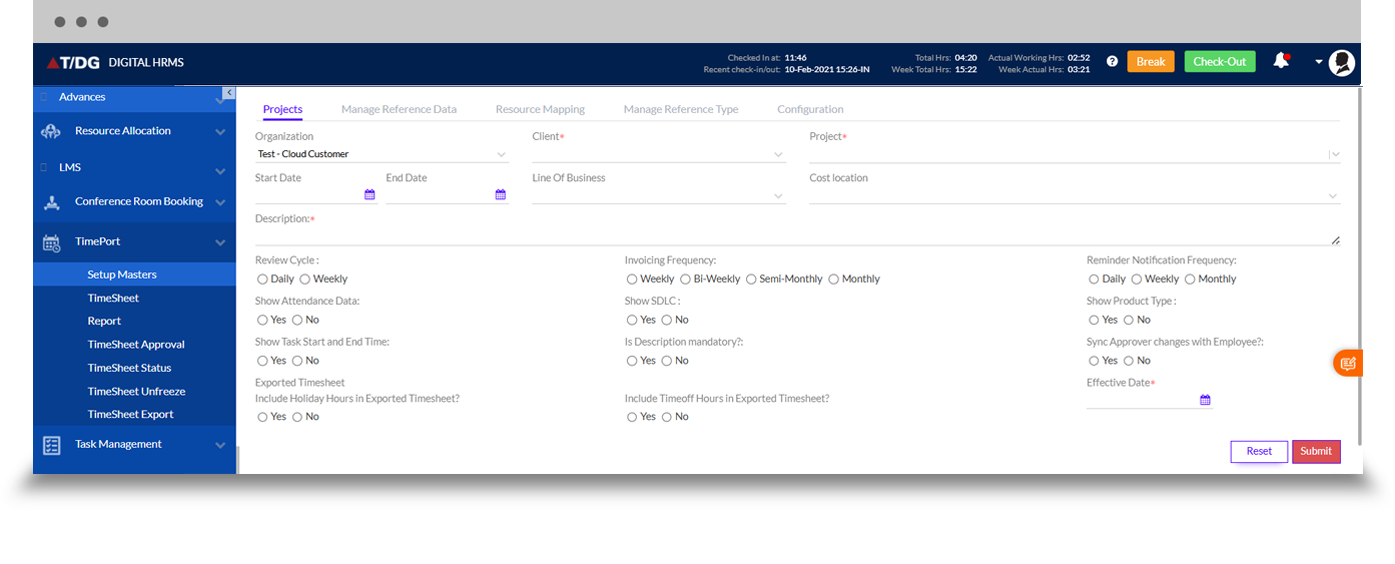
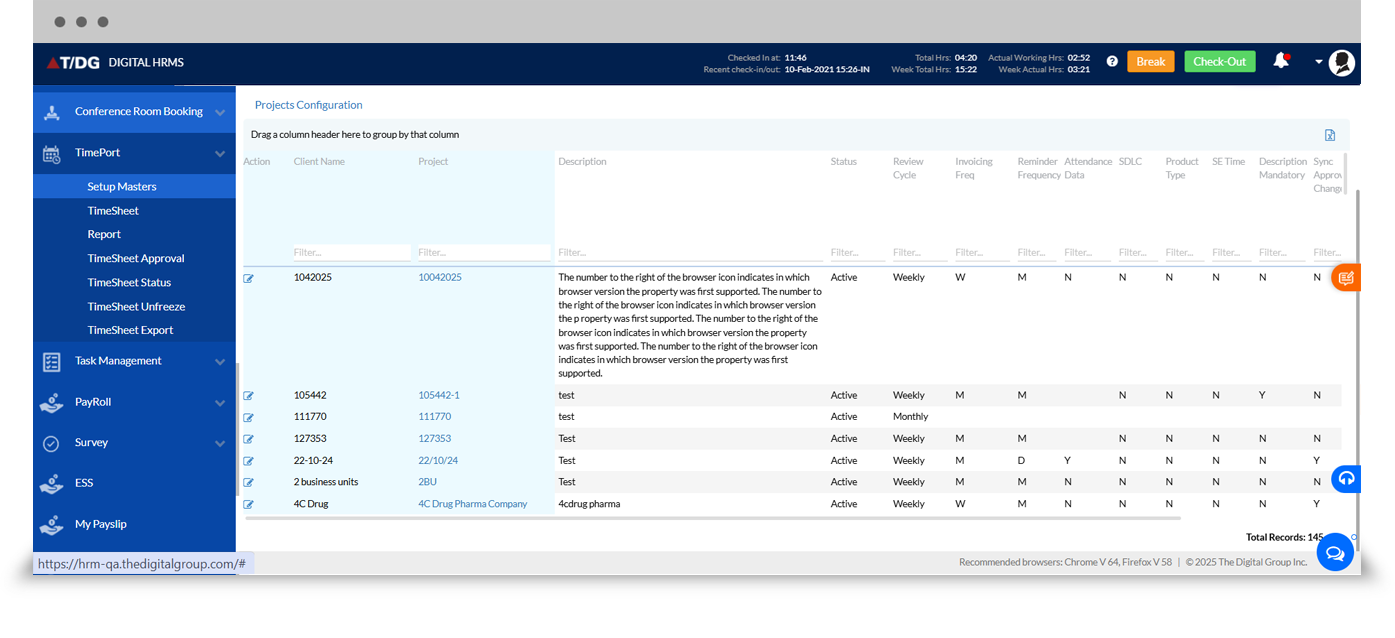
The Projects tab allows administrators to configure organization, client, and project details, along with review cycle, invoicing frequency, reminder notification frequency, and other project-level settings. The configured projects can be viewed and managed in a searchable grid.
b. Manage Reference Data
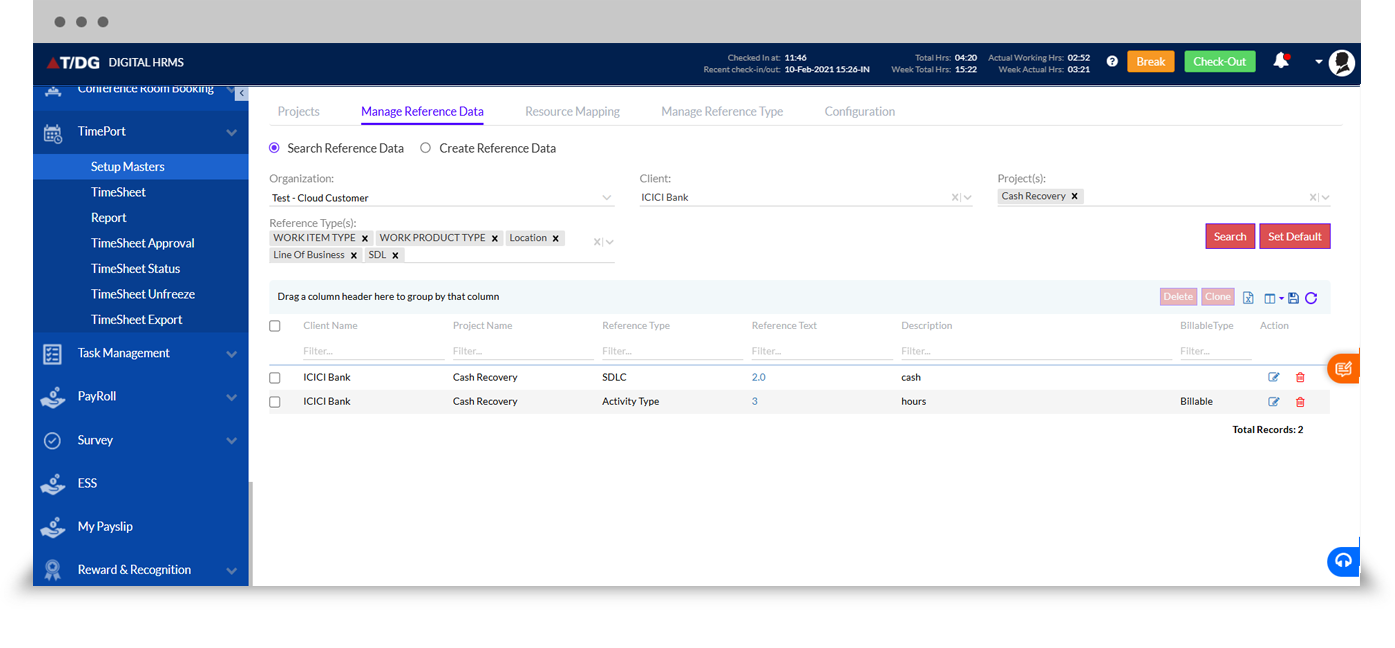
The Manage Reference Data tab allows administrators to configure reference information such as work item type, work product type, and location for specific clients and projects, helping maintain consistency across timesheets.
c. Resource Mapping
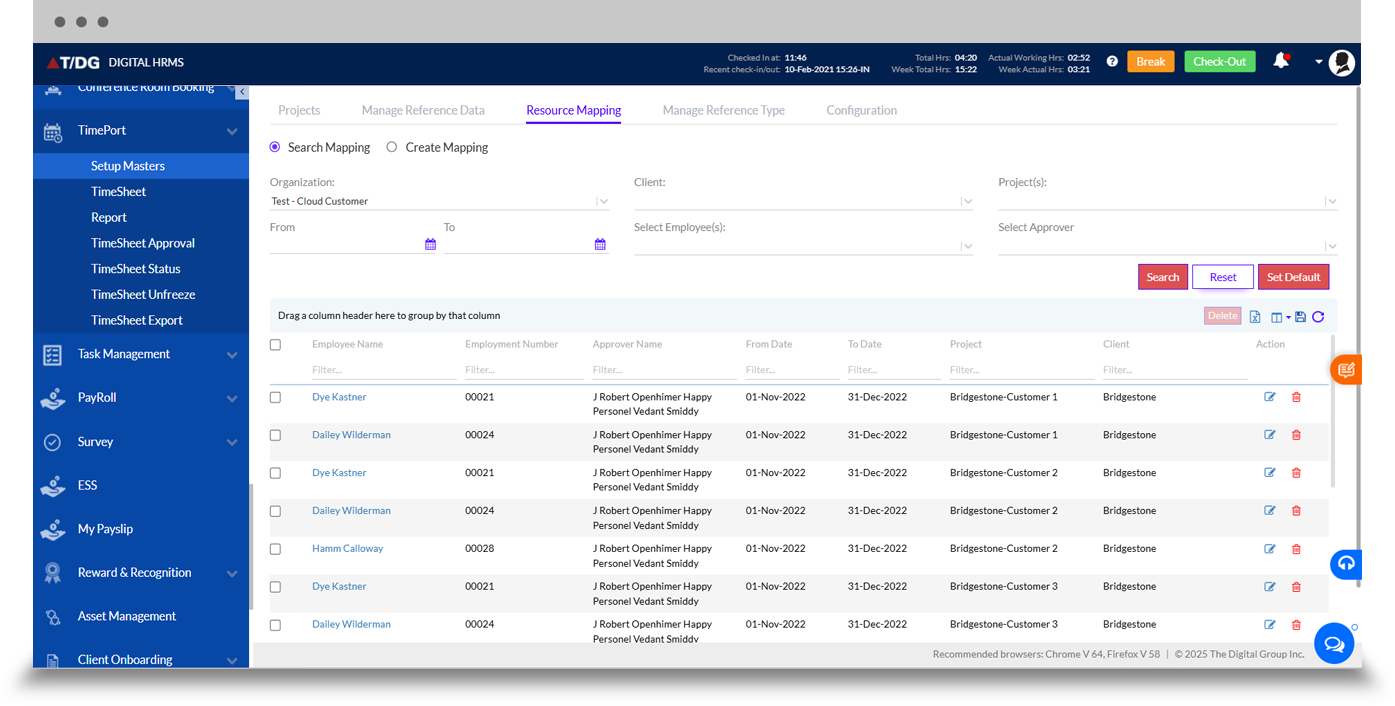
The Resource Mapping tab allows administrators to map employees to clients, projects, and approvers for a defined date range, supporting accurate project time tracking.
d. Manage Reference Type
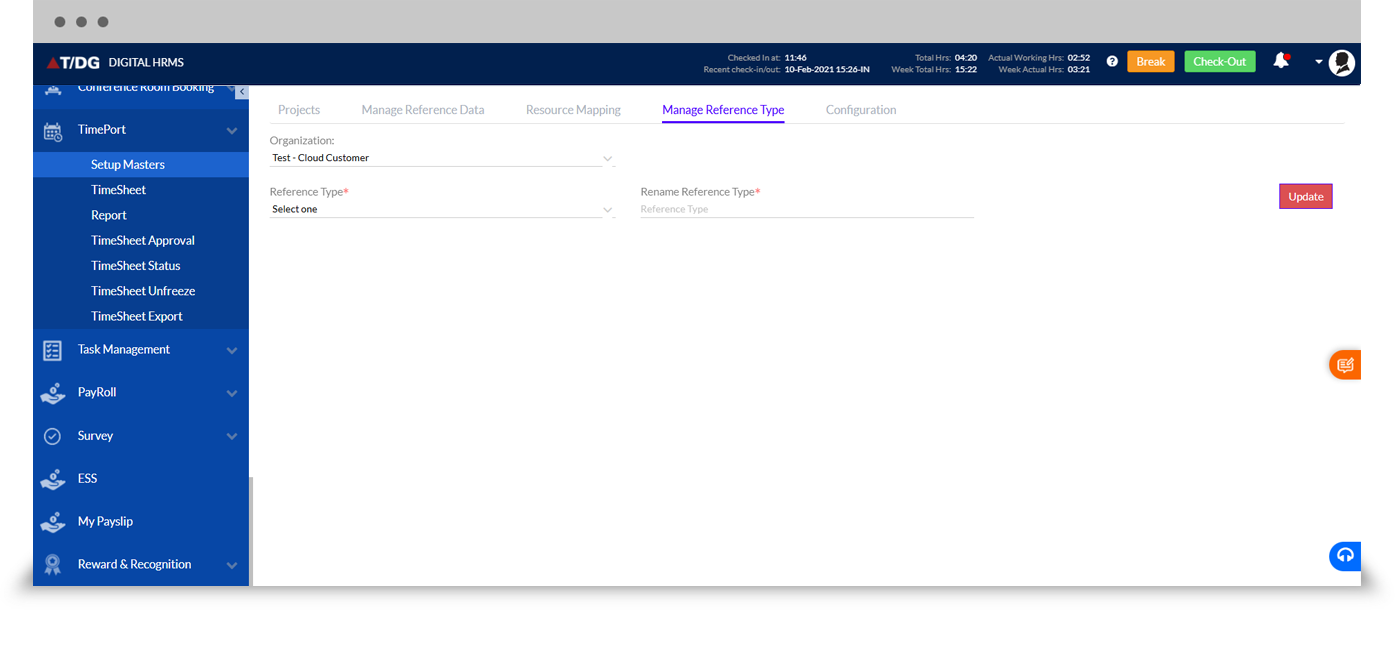
The Manage Reference Type tab allows administrators to configure and rename reference types at the organization level, keeping reference data structured and up to date.
e. Configuration
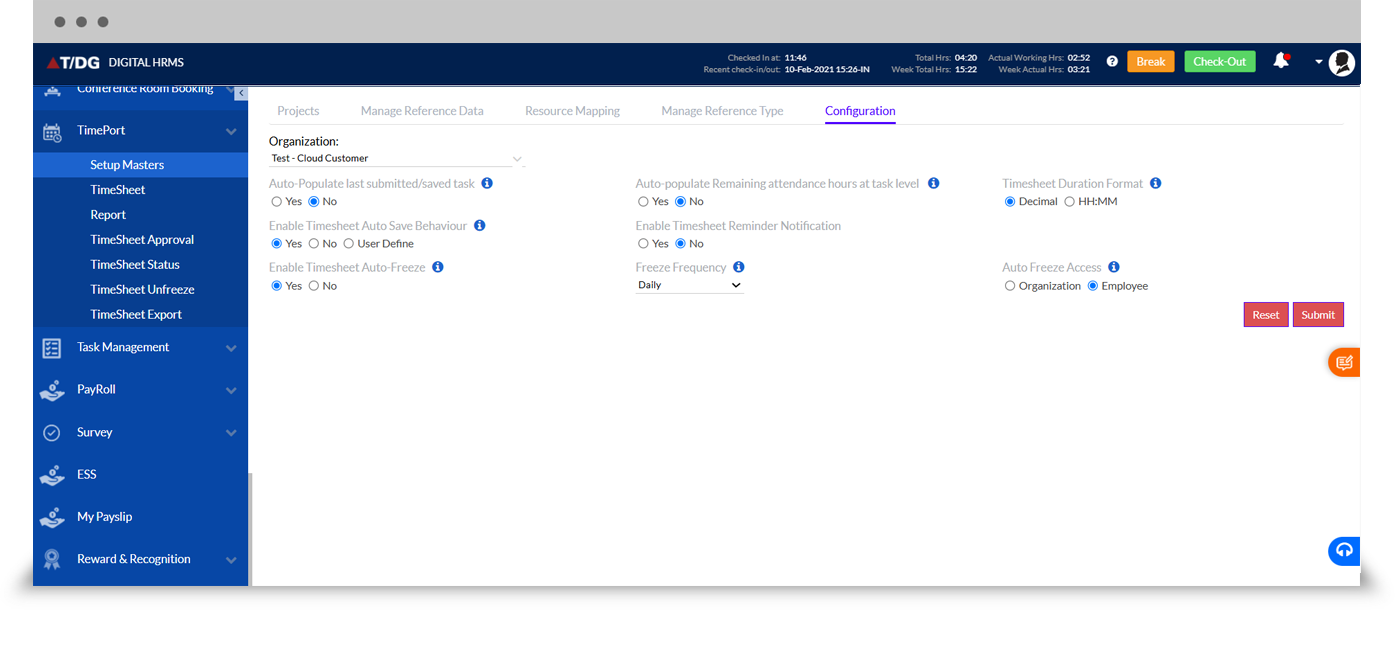
The Configuration tab allows administrators to set auto-population and auto-save behaviour, enable timesheet auto-freeze and its frequency, set reminder notifications, choose the timesheet duration format (decimal or HH:MM), and define auto-freeze access.
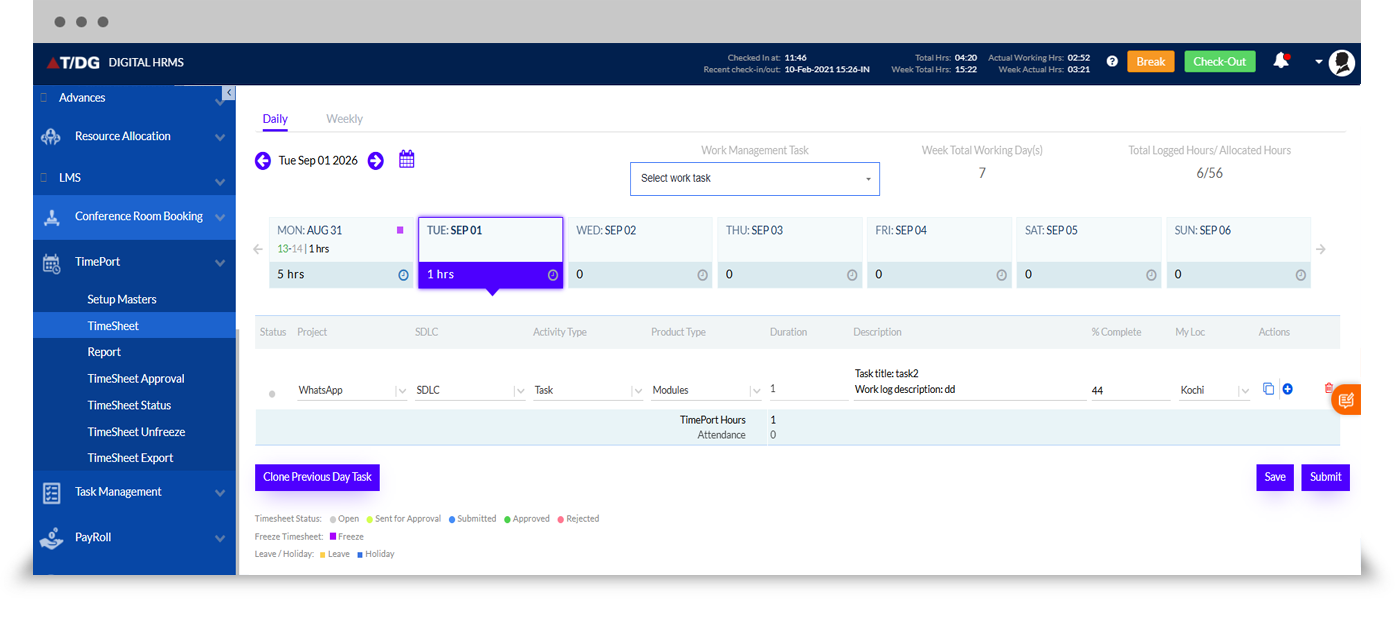
The Timesheet tab is where employees log daily or weekly work hours against assigned projects. Employees can record task details, SDLC stage, activity type, product type, duration, description, and percentage of work completed, and can clone the previous day's tasks to save time.
The Report section provides deeper visibility into project time tracking and timesheet compliance.
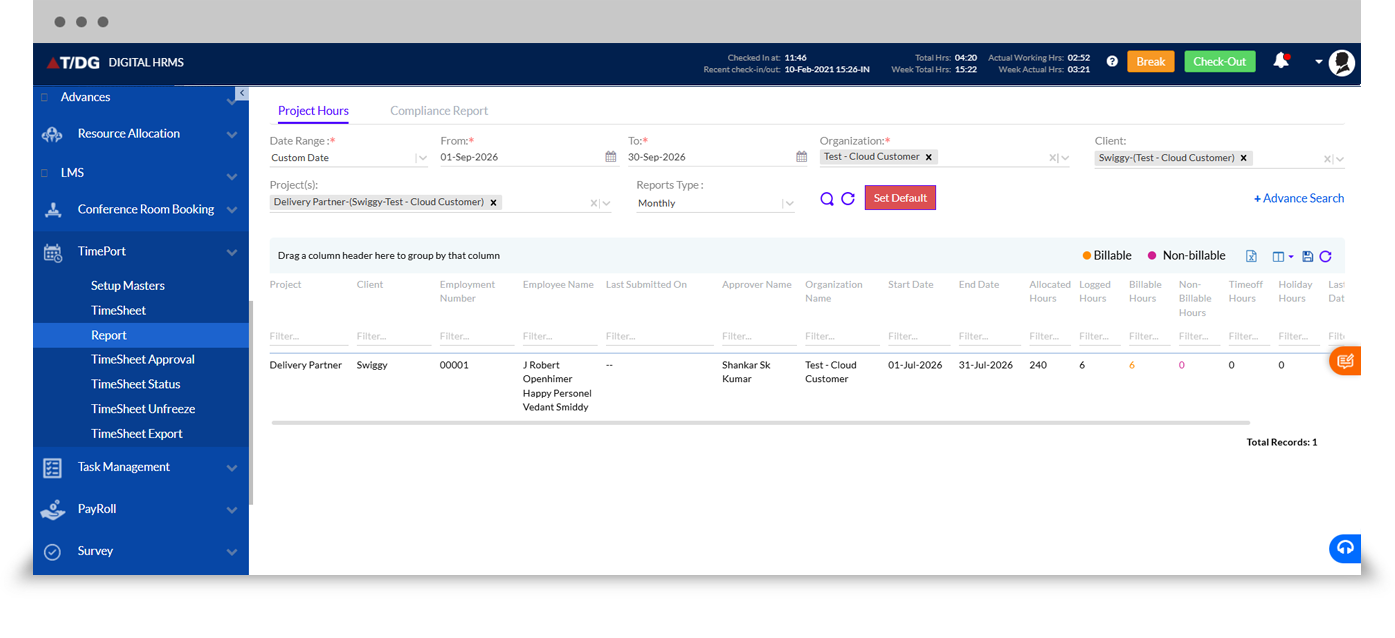
a. Project Hours
The Project Hours report shows allocated, logged, billable, and non-billable hours by employee and project, filterable by date range, organization, client, and project.
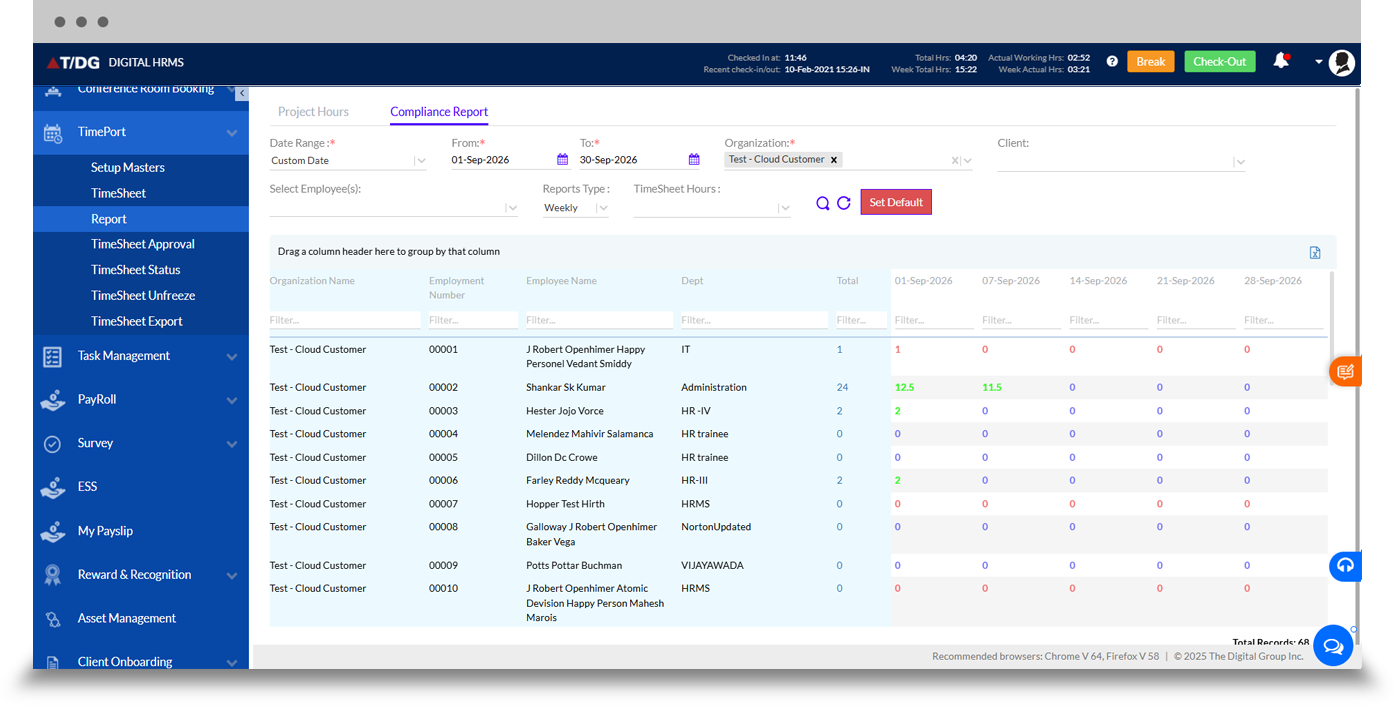
b. Compliance Report
The Compliance Report shows week-wise submitted hours by employee and department, helping managers quickly identify pending or incomplete timesheet submissions.
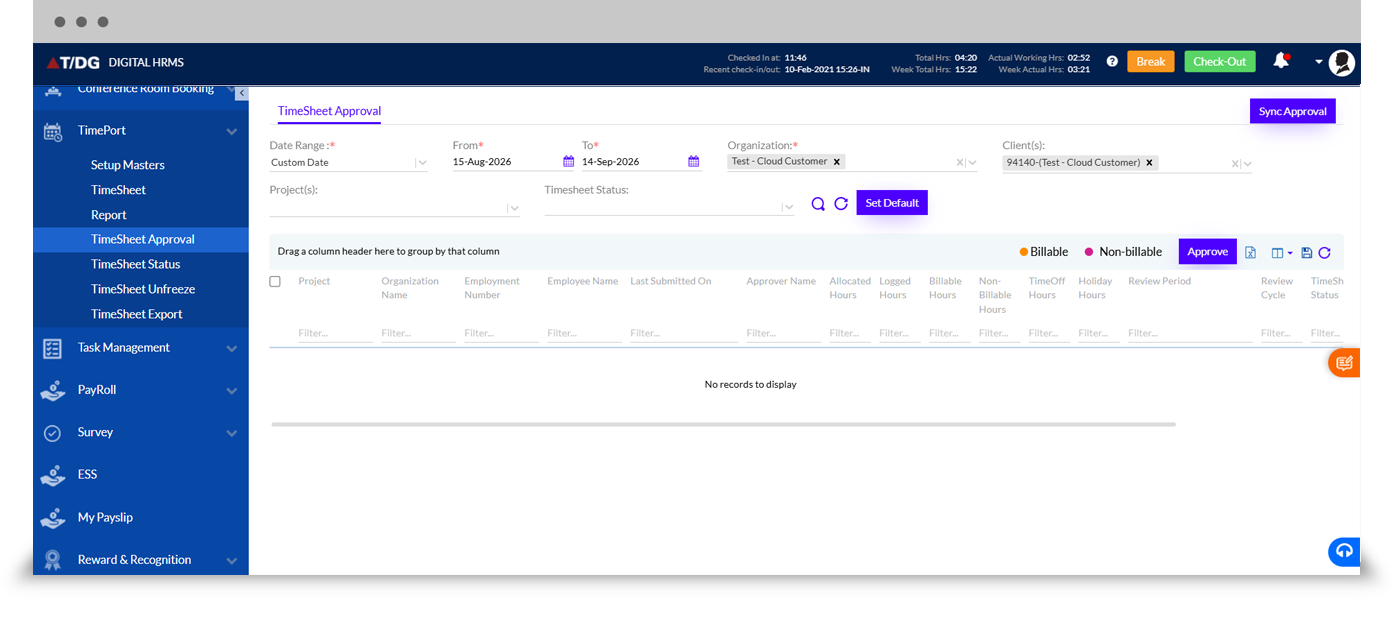
The Timesheet Approval tab is where managers can search, review, and approve submitted timesheets, including allocated, logged, billable, and non-billable hours, with an option for bulk sync approval.
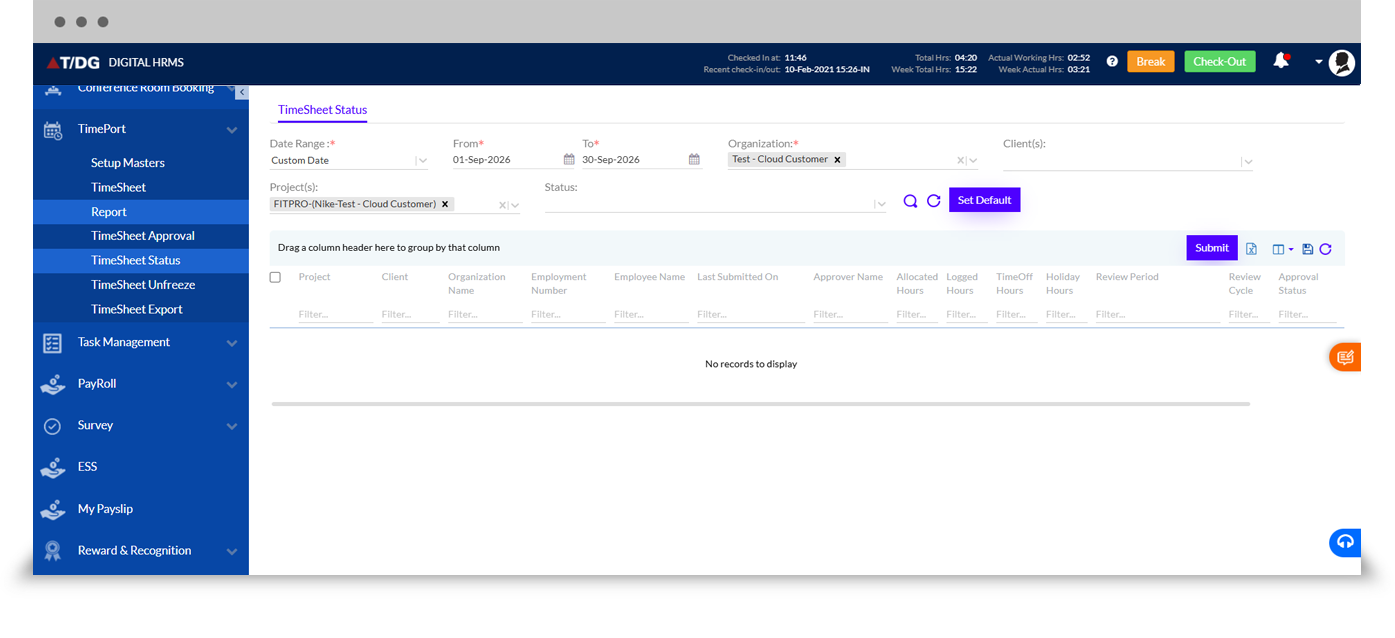
The Timesheet Status tab allows users to search timesheets by project, client, and approval status for a defined period, supporting quick follow-up on pending submissions.
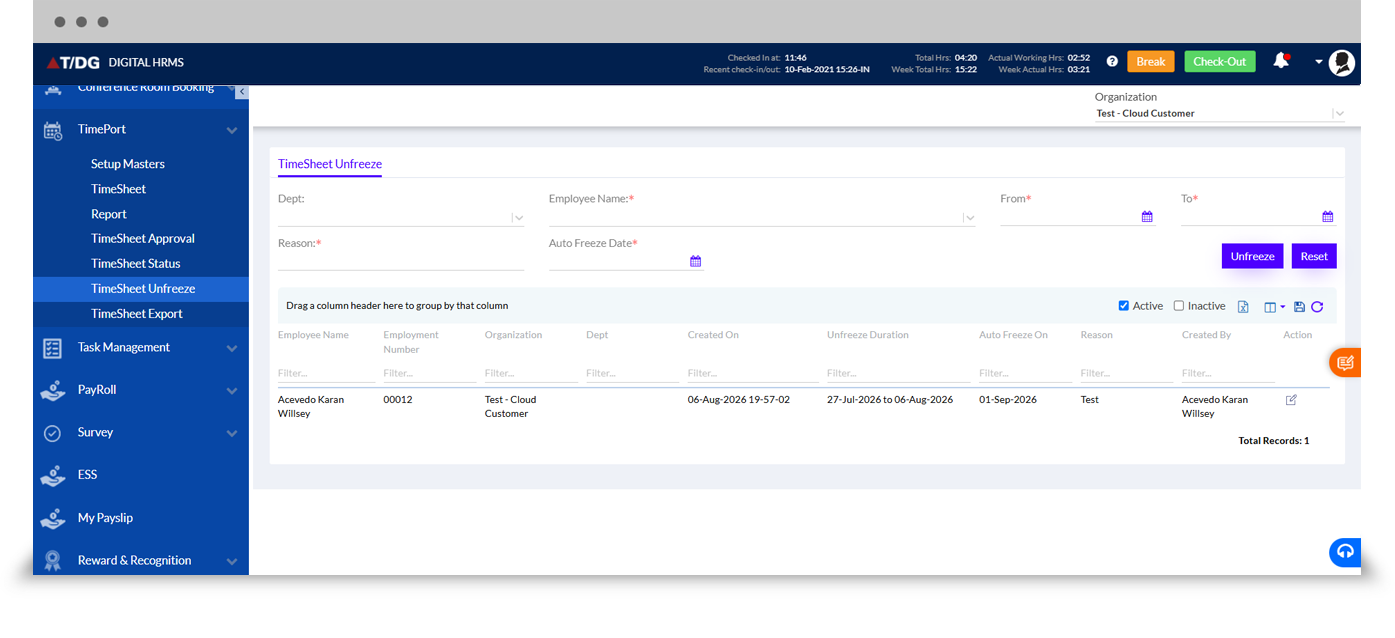
The Timesheet Unfreeze tab allows administrators to reopen frozen timesheets for a defined employee and date range with a documented reason, while maintaining a record of who made the change and when.
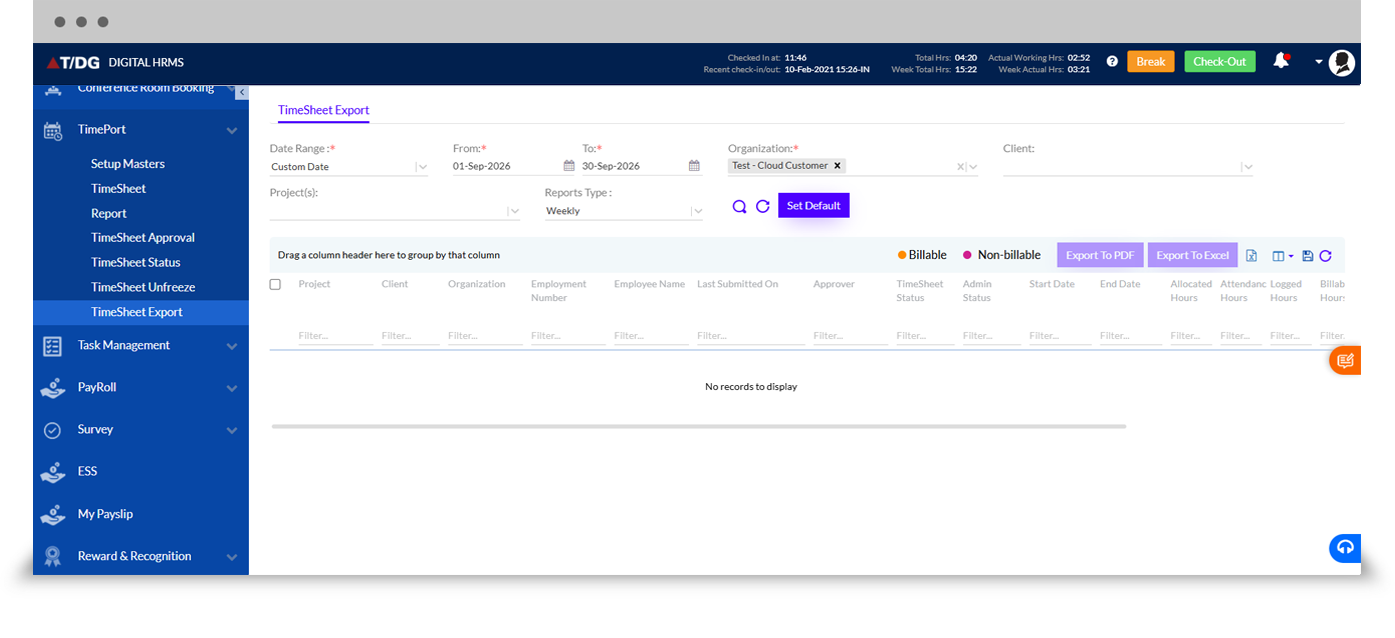
The Timesheet Export tab allows administrators and managers to export timesheet and project hour data, including billable and non-billable hours, to PDF or Excel for offline reference and reporting.
Why Choose Digital HRMS TimePort for Employee Time Tracking?
Improved Employee Productivity
Help employees organize logged work and stay accountable for assigned project time.
Centralized Project Time Tracking
Monitor timesheets, approvals, and project hours from one platform.
Accurate Billable Hour Insights
Maintain a clear split between billable and non-billable hours for accurate invoicing.
Faster Approval Workflows
Enable managers to review and approve timesheets quickly, including bulk sync approval.
Configurable & Scalable
Set review cycles, invoicing frequency, reminders, and duration format to match organizational requirements.
Connected HR Platform
Use TimePort as part of the broader Digital HRMS human resource management system software.

Learn More About TimePort - Employee Time Tracking System
Download the detailed product presentation to explore TimePort's project setup, timesheet, approval, and reporting capabilities.
Improve Employee Time Tracking with Digital HRMS TimePort
Tracking employee time and project hours shouldn't depend on disconnected tools and manual follow-ups. Digital HRMS TimePort brings project time tracking software, employee time tracking, and productivity insights together through a centralized HR platform.