Simplify Client Onboarding with Digital HRMS
Manage client setup, data imports, workflows, and access through a centralized onboarding platform.
How Client Onboarding Management Simplifies HR Operations
Setting up new clients, business units, and workforce data can involve multiple manual activities and repetitive data entry. Digital HRMS provides a centralized client onboarding management solution that helps organizations manage onboarding activities, import data, configure workflows, and establish access rights through a structured process.
With automated validation, bulk data handling, configurable workflows, and centralized management, organizations can improve data accuracy and make automated client onboarding more efficient.
Common Client Onboarding Challenges
Managing client onboarding manually can create unnecessary delays and make it difficult to maintain consistent data and access configurations.
Manual Data Entry
Entering large volumes of client and employee data manually can be time-consuming.
Repetitive Onboarding Tasks
Repeated setup activities can increase administrative effort during client implementation.
Data Import Challenges
Handling large datasets without a structured import process can lead to errors.
Workflow Configuration
Different client requirements may require flexible onboarding workflows.
Access Management
Managing access rights for different users and business units can become complex.
Limited Process Visibility
Without centralized tracking, monitoring onboarding activities and their progress can be difficult.
How Digital HRMS Simplifies Client Onboarding
Digital HRMS brings client setup, data import, workflow management, and access configuration together on one platform. The solution supports bulk data import, structured templates, validation, workflow configuration, and centralized import management.
This helps organizations reduce repetitive manual work, maintain consistent data, and establish a more efficient onboarding process from initial setup through operational readiness.
Centralized Onboarding
Manage client onboarding activities through a single platform.
Bulk Data Import
Import large volumes of client and employee information efficiently.
Automated Validation
Validate imported information before processing it into the system.
Workflow Management
Configure onboarding workflows according to organizational requirements.
Access Rights Management
Define appropriate access rights for users and business units.
Import Management
Monitor and manage data imports through a centralized interface.
Key Features of Client Onboarding Management
Manage client setup, data imports, workflows, access rights, and onboarding activities through configurable tools designed for efficient client implementation.
Client Onboarding Module Overview
Access dedicated dashboards to manage bulk workflows, upload and import data, configure access rights, and manage client onboarding settings.
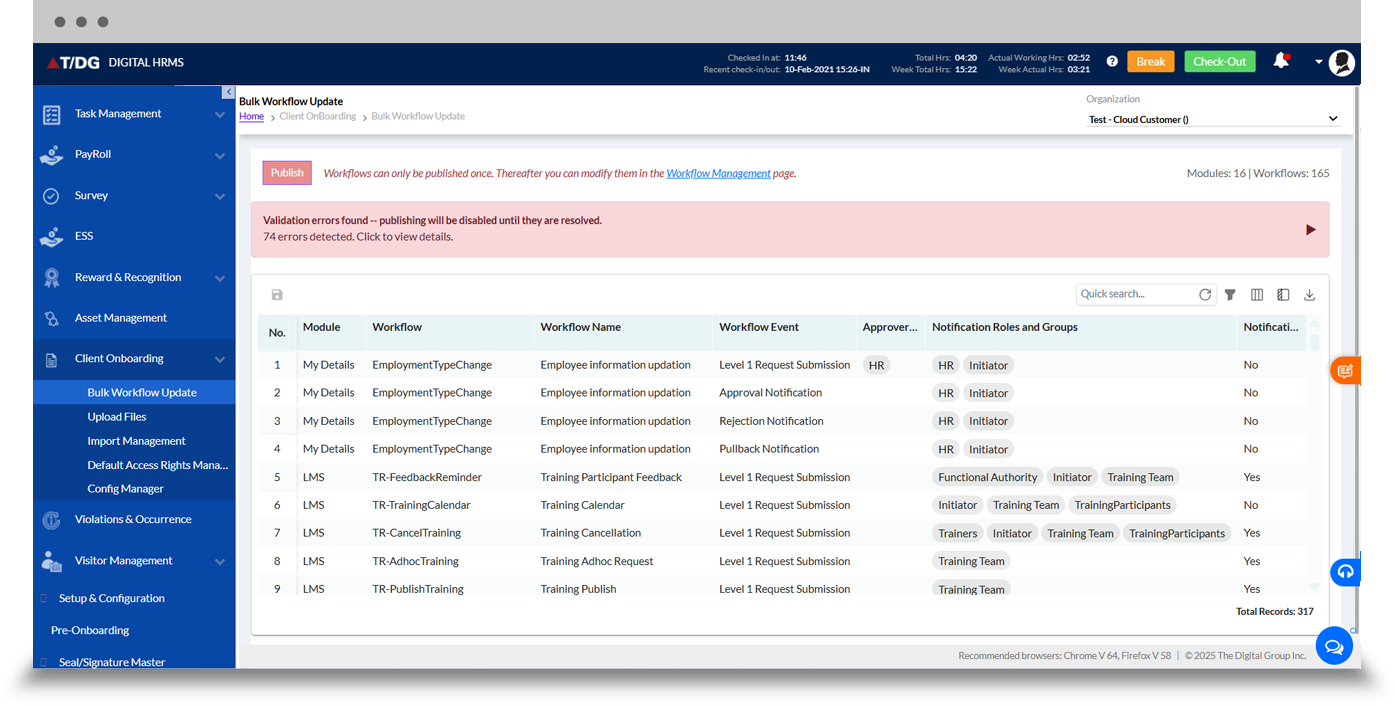
The Bulk Workflow Update dashboard enables administrators to manage workflow configurations for multiple onboarding records efficiently.
Instead of updating workflow settings individually, administrators can use the bulk update functionality to apply required workflow changes across multiple records, helping maintain consistency during client implementation.
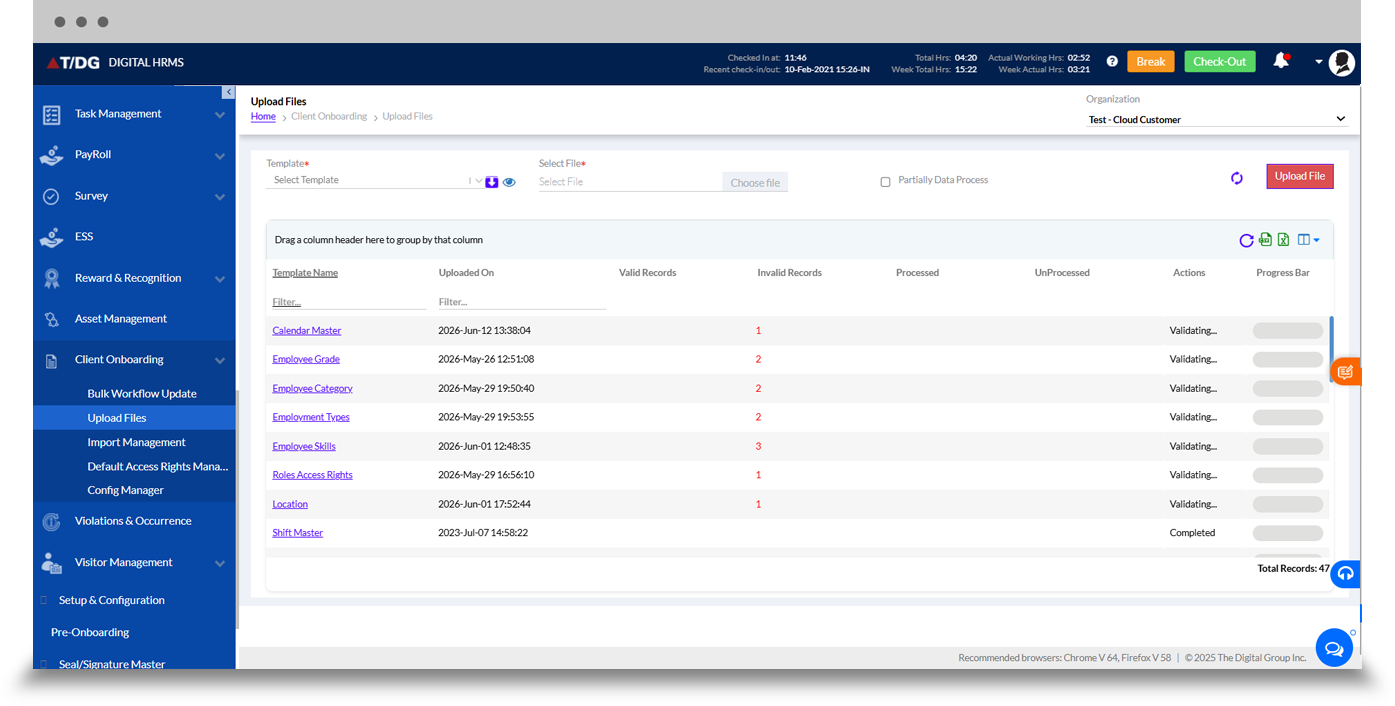
The Upload Files dashboard provides a structured interface for uploading client and employee-related data.
Administrators can work with predefined templates, prepare the required information, and upload files for processing. This supports bulk data import while reducing repetitive manual data entry during client onboarding.
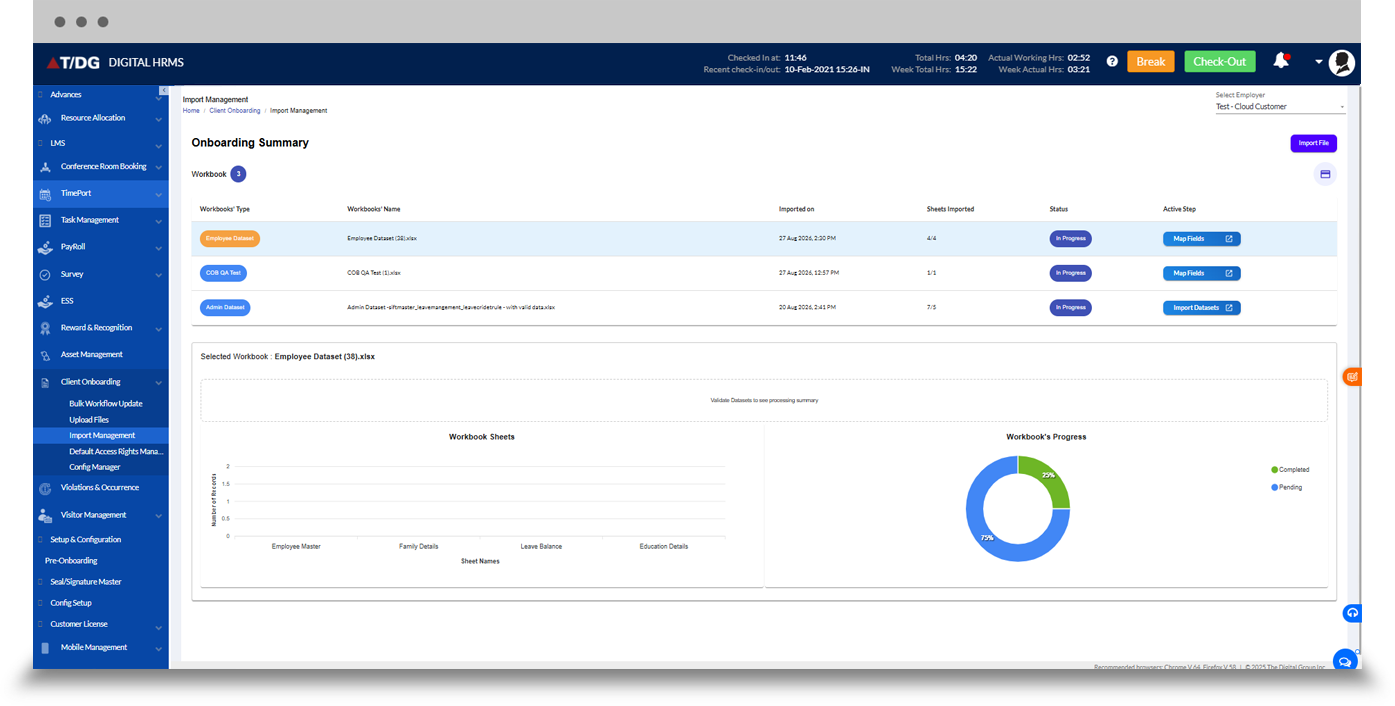
The Import Management dashboard provides centralized visibility into imported files and their processing activities.
Administrators can monitor uploaded files, review import status, track processing progress, and manage onboarding imports across organizations. This gives teams greater control over import management and helps identify issues during the onboarding process.
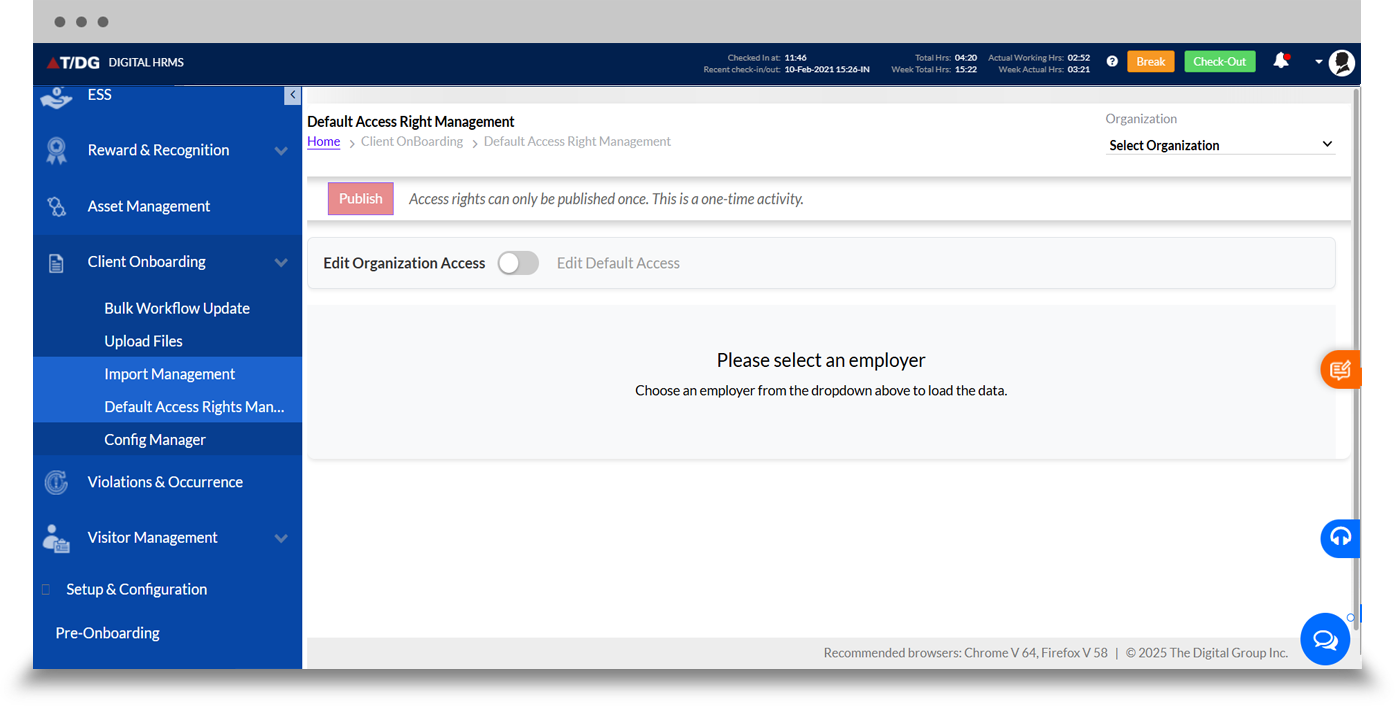
The Default Access Rights Management dashboard helps administrators configure access rights for users as part of the client onboarding process.
By establishing appropriate default access permissions, organizations can simplify user setup and ensure that employees receive the required system access based on their organizational requirements.
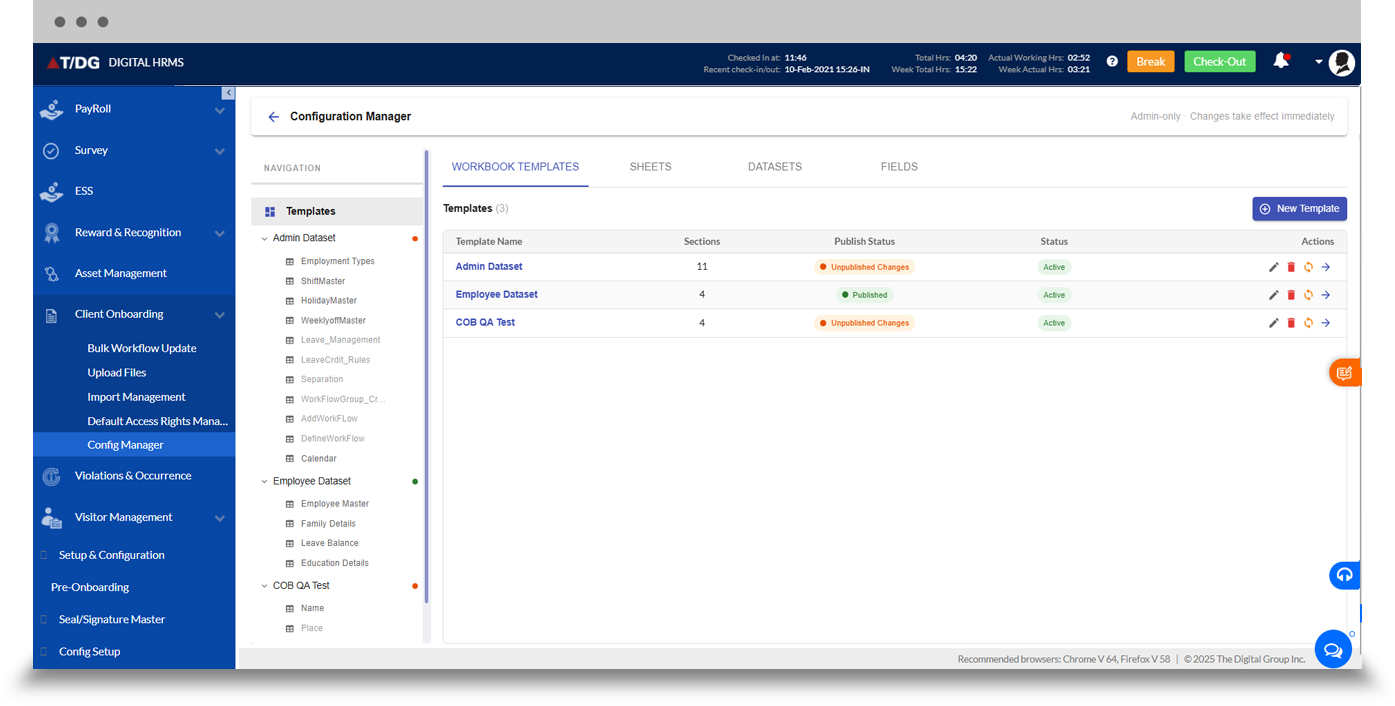
The Configuration Manager dashboard provides a centralized area for managing configuration requirements associated with client onboarding.
Administrators can manage relevant settings and configurations required to support consistent onboarding across clients and organizations, helping create a structured and repeatable onboarding process.
Why Choose Digital HRMS for Client Onboarding?
Faster Client Implementation
Reduce repetitive activities and accelerate the onboarding process.
Efficient Bulk Data Import
Import large volumes of information through structured processes.
Consistent Onboarding Workflows
Apply standardized workflows across client onboarding activities.
Improved Data Accuracy
Use validation and structured templates to reduce data errors.
Simplified Access Management
Configure default access rights during the onboarding process.
Centralized Import Management
Monitor and manage data imports from a single interface.
Make Client Onboarding More Efficient with Digital HRMS
Client onboarding shouldn't depend on repetitive data entry and disconnected processes. Digital HRMS brings client onboarding management, automated client onboarding, bulk data import, and import management together through a centralized platform.